




Simplifying Invoice Follow-Ups: How Accounting Teams Use SMS to Speed Up Collections
In today’s fast-paced business environment, efficient invoice follow-ups with SMS can significantly enhance your accounting team’s collections process. By leveraging the power of Sheet Gurus SMS, a versatile Google Sheets add-on, you can streamline your operations and ensure timely payments. This how-to guide will explore how accounting teams are using SMS to expedite collections, demonstrating the ease and effectiveness of
sending bulk messages directly from Google Sheets. Discover more about optimizing your business operations with SMS solutions for business.Understanding the Role of SMS in Invoice Follow-Ups
Invoice follow-ups with SMS improve collections by sending concise payment reminders directly to clients’ phones, which prompts faster attention than email or voicemail. SMS for collections is a communication channel that delivers short, time-sensitive payment reminders and status updates to a customer’s mobile device. Because texts appear on the device clients carry, teams replace slow email chains and repeated call attempts with brief messages that drive quicker client responses. For example, replacing one late-stage phone call with a two-message SMS sequence cuts manual follow-up steps and frees staff time for higher-value work.
Benefits and examples.
- Faster client responses. Example: sending a clear, one-line reminder often produces a same-day reply or a scheduled payment date request instead of a multi-day email exchange.
- Lower administrative load. Example: batch-scheduled SMS reminders reduce time spent dialing and leaving voicemails for each overdue account.
- Audit trail and dispute handling. Example: message logs provide timestamps and message content that simplify verification during billing disputes.
- Better reach for mobile-first clients. Example: clients who rarely check email still receive and act on short SMS reminders.
Recommended SMS follow-up cadence (sequential).
- Reminder 7 days before due date: short note with invoice number and due date.
- Reminder 1 day before due date: polite nudge and payment link or instructions.
- Due-date notice: one-line prompt and quick payment options.
- Past-due notice at 3 days late: request confirmation or offer a pay-by date.
- Escalation at 14 days late: final notice with next steps (fees, holds, collections).
Why use a product instead of DIY. [Product Name] automates templates, schedules messages, records responses, and handles opt-outs so your accounting team avoids manual errors, missed follow-ups, and compliance gaps. Building and maintaining an in-house SMS workflow requires ongoing monitoring of deliverability, consent status, and message logs; [Product Name] reduces that operational burden and shortens time to consistent execution.
💡
Tip: Always use double opt-in for SMS signups to confirm consent and reduce complaint risk.
⚠️ Warning: Do not send messages to numbers without explicit consent; verify opt-out requests immediately.
Step-by-Step Guide to Using Sheet Gurus SMS for Invoice Follow-Ups
Implementing invoice follow-ups with SMS can significantly enhance your collections process. By utilizing the Sheet Gurus SMS add-on, accounting teams can streamline their operations effectively. Here’s how to get started with this powerful tool.
1. Install the Sheet Gurus SMS Add-On
- Open Google Sheets and navigate to the Extensions menu.
- Click on ‘Add-ons’ and search for ‘Sheet Gurus SMS’.
- Install the add-on and authorize necessary permissions.
💡 Tip: Ensure your Google Workspace admin has enabled add-ons for your account.
2. Set Up Your SMS Campaign
- Open the Sheet Gurus SMS sidebar from the Extensions menu.
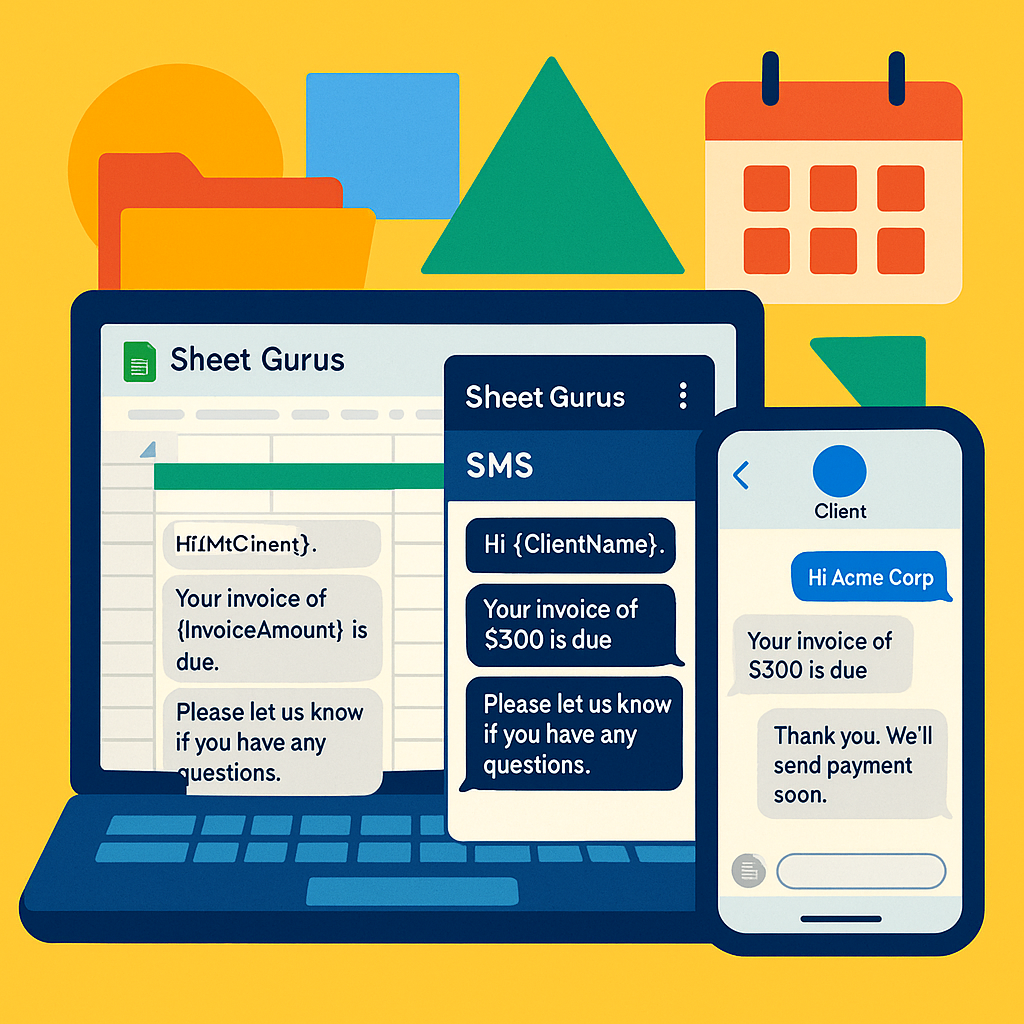
- Input your message template using dynamic content variables. For example: “Hello {Name}, your invoice #{InvoiceNumber} is due on {DueDate}.”
- Select the recipients from your Google Sheets list.
3. Send and Monitor Messages
- Click ‘Send’ to dispatch your SMS messages.
- Use the real-time inbox to view responses and engage in two-way communication with recipients.
⚠️ Warning: Always comply with SMS regulations by using the automatic message filtering feature.
4. Track and Analyze Results
- Access the ‘Insights’ feature to track delivery rates and response times.
- Adjust your strategy based on the analytics provided.
For more detailed information on how accounting teams use SMS for collections, explore our SMS solutions for business operations page.
Tips for Improving Collections with SMS
Streamline invoice follow-ups with SMS by using clear timing, strict compliance rules, and short, tested message templates that prompt payment. Our Sheet Gurus SMS platform connects Google Sheets to scheduled sends, personalized fields, and message logs so teams spend less time on manual outreach and avoid common compliance mistakes.
💡 Tip: Always use double opt-in for SMS signups.
⏰ Best send windows by timezone and business type
Send reminders during recipients’ local business hours and narrow windows by industry to increase open and response rates. For B2B accounts payable, schedule between 9:00 and 11:00 local time, Monday through Thursday. For consumer billing (retail, utilities), prefer 10:00 to 18:00 local time, Tuesday through Saturday. For overdue or urgent invoices, try early-morning (08:30 to 09:30) or late-afternoon (16:30 to 18:00) local time.
Practical steps:
- Store each contact’s timezone in your Google Sheet and use that field for scheduling.
- Group contacts by timezone to batch sends and avoid sending at night.
- Exclude public holidays and weekends for B2B lists to reduce complaints.
⚠️ Compliance and opt-out management 📋
Opt-out keywords are the specific words a recipient can send to stop messages and you must respect them immediately. Common opt-out keywords include STOP, STOPALL, UNSUBSCRIBE, and CANCEL; document which ones you accept and the timestamp you received them.
Required controls to implement:
- Capture consent at signup and store the consent timestamp and source in the sheet.
- Implement frequency caps. For example, limit automated reminders to three per invoice: initial notice, due-day reminder, and one follow-up seven days after due.
- Maintain an audit trail with message text, send timestamp, delivery status, and any inbound replies.
⚠️ Warning: Avoid including personal health or sensitive financial details in SMS messages.
✉️ Message templates that prompt quick payment
Short, clear messages with a single call to action drive the best results. Personalize with name, invoice number, amount, and a one-click payment link when available.
Example SMS copy (plain text): Hi [First Name], invoice #12345 for $250 is due on 2026-06-30. Pay now: [short link]. Reply STOP to opt out. Reminder: invoice #12345 for $250 is overdue. Pay now: [short link] or reply HELP for options.
Testing notes:
- Keep messages under 160 characters when possible.
- Put the payment link early in the text for mobile users.
- Use A/B tests on wording and send window to find what increases payment rate.
📑 Automation, audit trails, and the cost of DIY
Automating sends and logging every action reduces manual hours and compliance risk. Manual SMS workflows cost time for scheduling, tracking replies, and keeping opt-out lists current. A small billing team that manually manages reminders can waste several hours per week and face higher error rates.
How to implement with our Sheet Gurus SMS platform:
- Add consent, timezone, and invoice fields to your master Google Sheet.
- Configure send windows and frequency caps in the scheduling settings.
- Enable automatic logging so each send records text, timestamp, delivery status, and replies back to the sheet.
Measured outcomes and what to watch:
- Track delivery rate, reply rate, and payment conversion by cohort. According to Sheet Gurus, teams see reduced manual send time when they automate schedules and logs. This reduces missed follow-ups and lowers revenue leakage.
Use these tactics to tighten control of invoice follow-ups with SMS, reduce hours spent on manual outreach, and keep a clear, auditable record of every message.
Elevate Your Invoice Follow-Ups with SMS
Incorporating SMS into your invoice follow-ups can significantly enhance your collections process. By leveraging SMS solutions for business operations, accounting teams can send timely reminders, ensuring faster payments and improved cash flow. The Sheet Gurus SMS platform offers a seamless way to integrate SMS into your workflow. With features like sending bulk SMS directly from Google Sheets, dynamic content variables, and a real-time inbox for two-way communication, accounting teams can streamline their operations efficiently. This Google Sheets SMS add-on for invoices not only saves time but also ensures compliance with automatic message filtering.
Explore how accounting teams use SMS for collections and discover how Sheet Gurus SMS can transform your invoice follow-up strategy. Ready to revolutionize your collections process? Try Sheet Gurus SMS today and experience the benefits firsthand.