




Sheet Gurus SMS Acquisition FAQ: Broad Arrow 2026
Hundreds of Sheet Gurus SMS customers are asking how billing, support, and the product roadmap will change after Broad Arrow’s 2026 acquisition. This sheet gurus sms acquisition faq on our website is a concise resource that explains pricing, support contacts, roadmap items and the practical next steps existing accounts should expect. Sheet Gurus SMS is an add-on that sends texts directly from Google Sheets and Microsoft Excel via a sidebar, with curly-brace variables like {FirstName}, delivery status for every message, and a real-time two-way inbox. We detail how trial credits and plan rates behave, which features remain unchanged, and which roadmap items—such as automatic triggers—are still pending. Which specific billing or support detail matters most for your team?
What changed after Broad Arrow acquired Sheet Gurus SMS?
Broad Arrow Inc is now the owner of Sheet Gurus SMS and ownership change is the main event customers need to track. Our accounts, subscriptions, and the add-on’s core integrations remain active while we complete the transition and publish any formal legal notices.
Who owns Sheet Gurus SMS now and what does that mean? 🏷️
Broad Arrow Inc is the legal owner of Sheet Gurus SMS and holds the product, its assets, and customer agreements. Our public acquisition announcement explains the deal and the Broad Arrow team’s plans for ongoing development; read the
Broad Arrow acquisition announcement for the official statement. Customers should expect updated legal notices (terms of service and privacy policy) delivered via email and visible in our dashboard within the next billing cycle.When ownership affects contracts, the change appears as an amendment or assignment notice rather than an immediate service interruption. If your organization requires a signed assignment or PO, open a support ticket so we can provide the required documentation and timeline.
Will my account, billing, and current subscription continue? 💳
Yes. Your Sheet Gurus SMS account, subscription tier, and existing billing cycle continue without action on your part. Our billing model remains usage-based: credits continue to accrue and are billed at the end of the billing period or when a usage threshold is reached, and you will receive invoices from the same billing channel unless we notify you otherwise.
Expect any future pricing or contract changes to arrive with at least 30 days’ notice via email and an in-app banner. If you rely on purchase orders or have finance controls, update the billing contact in Settings and open a support request so our team can route vendor paperwork to your accounts payable.
⚠️
Warning: Save copies of recent invoices and your current terms of service now. These documents make contract or rate-change discussions faster and reduce billing disputes.
Did the SMS delivery backend or supported platforms change? 🔗
No immediate backend change occurred; Sheet Gurus SMS continues to route messages through Twilio and retains native support for Google Sheets and Microsoft Excel add-ins. Our sidebar workflow, curly-brace variables, real-time two-way inbox, and delivery-status reporting function the same way they did before the acquisition.
Practical implications: scheduled sends, message previews, and automatic compliance filtering behave the same. If you see delivery anomalies, open a support ticket and include a sample message ID so our team can check Twilio delivery records faster. For examples of spreadsheet workflows and use cases, see our Sheet Gurus SMS for Small Businesses guide.
How will communication about future changes be delivered? ✉️
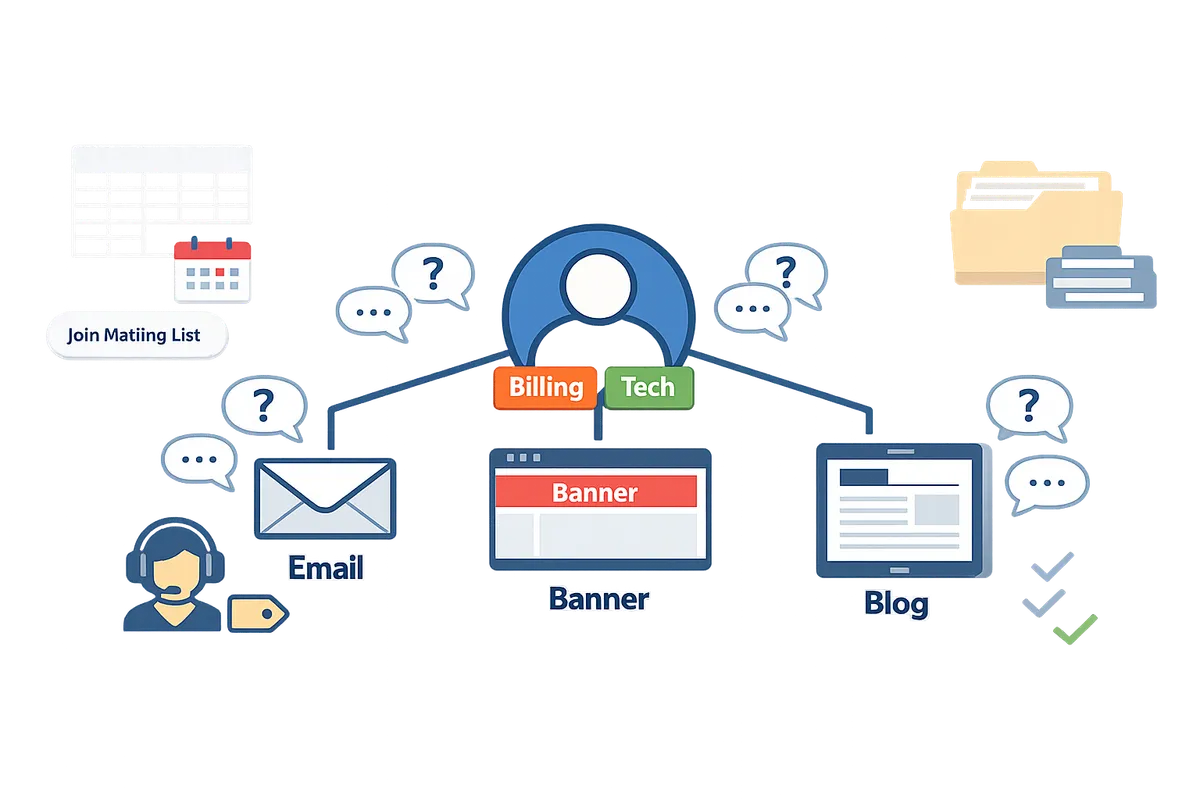
Official notices about product updates, roadmap items, and billing will come from our team via email, in-app dashboard notices, and the company blog. Subscribe to our blog and confirm the billing contact in Settings to ensure your organization receives policy or pricing notices promptly; major changes will also appear on the blog and the acquisition press archive.
We recommend designating one billing contact and one technical contact in your account to reduce missed notices. If you want proactive alerts about scheduled maintenance or roadmap releases, open a support request and ask to be added to our product-update mailing list.
How does pricing and plans look after the acquisition?
Pricing and plan structure remain the same for the immediate transition period while Broad Arrow completes the integration. Check in-app billing notices and our product blog for any official updates; your account’s billing page is the authoritative source for changes.
What are the current plan tiers and how do they differ? 🧾
Sheet Gurus SMS offers three plan tiers—Starter, Growth, and Pro—each adding features that match teams at different scale and compliance needs. The Starter plan targets single users or very small teams with basic send/receive and delivery reporting. Growth adds scheduled messaging, stronger undeliverable-number filtering, and additional MMS support for teams that need routine campaigns. Pro adds unlimited seats, custom local area codes, advanced queueing, and priority support for high-volume or enterprise workflows.
According to Sheet Gurus SMS, delivery status reporting and curly-brace personalization are included on every plan. Review the table below to compare core feature differences at a glance.
| Feature | Starter | Growth | Pro |
|---|---|---|---|
| Core SMS send/receive | Included | Included | Included |
| MMS support (images) | Basic (single image) | Extended (multi-image) | Extended (multi-image) |
| Scheduled messaging | No | Yes | Yes |
| Automated undeliverable filtering | No | Yes | Yes |
| Inbound replies billing | Billed per plan rules | Billed per plan rules | Free inbound messages |
| Custom local area codes | Not included | Not included | Included |
| User seats | Extra seats available (additional fee) | Extra seats available (reduced per-seat fee) | Unlimited seats included |
| Smart prioritization queue | No | No | Yes |
| Priority support | No | No | Yes |
| Delivery status for each message | Included | Included | Included |
Will per-message rates or credits change because of the acquisition? 💲
Per-message rates are governed by the plan tier and do not change automatically as a result of the acquisition; any rate changes will be announced in advance through the product and billing channels. Monitor the billing section inside your Sheet Gurus SMS account and watch for an email to the account owner if Broad Arrow schedules pricing updates.
According to Sheet Gurus SMS billing policy, credits and per-segment rates apply consistently across the US and Canada and are charged at the end of your billing period or when usage thresholds are reached. Expect official notices to include: the effective date for any change, the new billing schedule if applicable, and steps to opt-out or move plans. If you see an unexpected charge, open a billing dispute via Help > Billing in the app so our support team can investigate.
⚠️ Warning: Official pricing changes will be sent to the account owner email on file. Update payment and contact information in your account to avoid missed notices.
How do trial credits, usage billing, and thresholds work now? 🎟️
The free trial runs for 30 days and includes 50 credits to test sends and replies; after the trial expires, usage is billed at the plan’s per-segment rate or when your account reaches the configured usage threshold. Trial credits consume per message segment (for example, long messages or MMS use more credits); check the send preview to see segment counts before you send.
Billing occurs either at the end of your billing period or immediately when a usage threshold is hit, whichever comes first. If you believe a charge is incorrect, contact billing support through the in-app Help menu with the send IDs or delivery receipts to speed resolution. For details on trial eligibility or transfers across accounts during the acquisition, reference the acquisition announcement and your account billing dashboard.
How to compare total cost of ownership vs. DIY or other providers? 📊
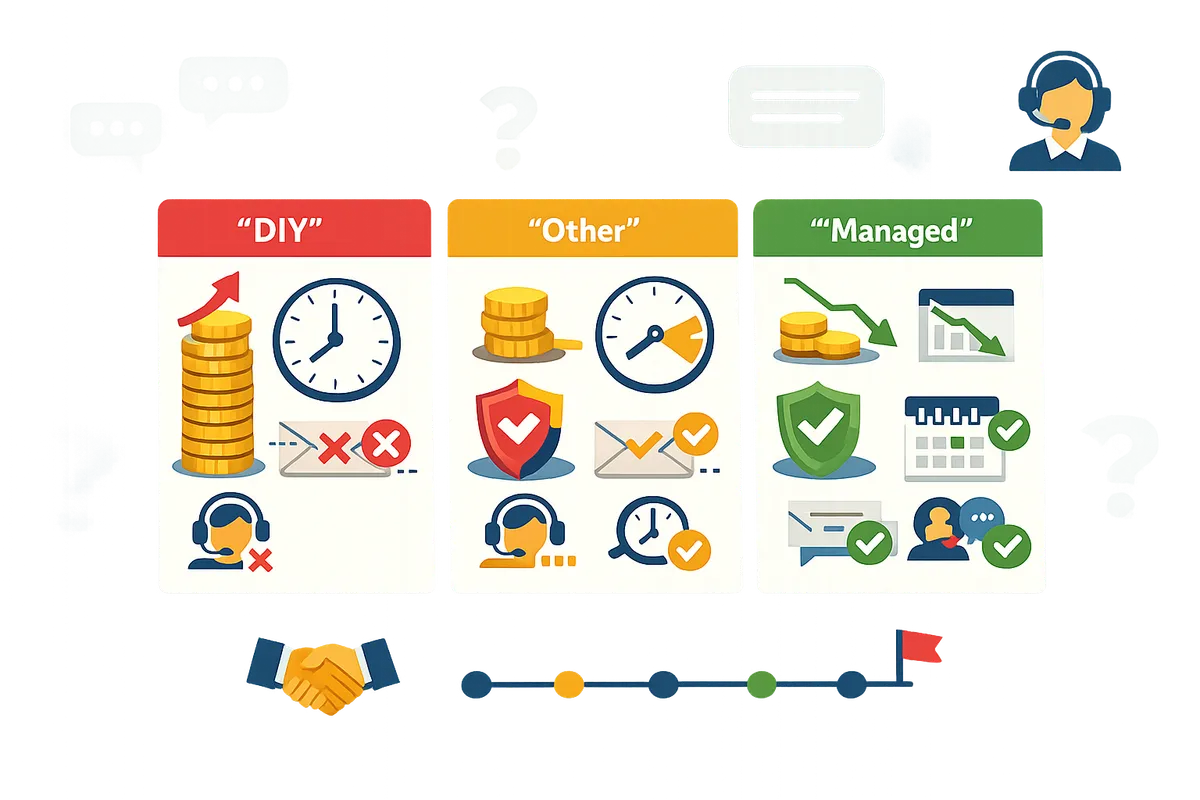
Compare total cost by tallying subscription fees, per-message charges, staff hours for manual sends, and compliance or deliverability risk; Sheet Gurus SMS removes many hidden costs tied to manual workflows and multistep stacks. Start with a short ROI checklist and use the table below for a side-by-side qualitative comparison.
ROI checklist (quick):
- Count average messages per month and estimate segments per message using the send preview.
- Estimate staff hours spent preparing sends, monitoring replies, and handling bounces.
- Add vendor subscription + expected per-message spend versus time cost for manual execution.
- Factor compliance overhead (recordkeeping, opt-out handling) and potential deliverability losses.
| Option | Monthly fee model | Per-message cost model | Staff hours / month | Compliance & deliverability risk |
|---|---|---|---|---|
| DIY (spreadsheets + carrier) | No consolidated subscription | Carrier invoices per send | High: list prep, manual sends, reply tracking | High: manual opt-out risk, missed replies |
| Other SMS provider | Subscription or pay-as-you-go | Provider charges per message | Medium: separate tools for two-way, filtering | Medium: may require add-ons for compliance |
| Sheet Gurus SMS | Single add-on subscription + usage | Subscription + per-segment billing in-app | Low: sidebar sends, two-way inbox, automated filtering | Low: built-in opt-out and undeliverable filtering reduce risk |
Use this checklist and table to estimate your break-even point: if staff time saved plus fewer compliance incidents exceed the subscription plus usage delta, a managed tool like Sheet Gurus SMS typically reduces overall TCO. For acquisition-specific questions about billing continuity and future pricing, see the Broad Arrow acquisition announcement and your account billing page.
How will support, roadmap, deliverability, and compliance be handled?
Broad Arrow will keep Sheet Gurus SMS support active, continue the product roadmap with staged items, and retain the add-on’s deliverability and compliance controls during the transition. This matters because customers need predictable support SLAs, clear feature timing, and consistent message handling while ownership changes. Check in-app notices and our acquisition announcement for any official timeline updates.
What support channels are available and will they change? 📞
Support continues to use the in-app help widget, email, knowledge base, and a priority support queue for Pro customers. Sheet Gurus SMS currently routes support requests through the sidebar help button and support@example.com; Pro accounts receive priority handling and access to the smart prioritization queue. If you need to confirm SLA or contact-method changes, watch in-app billing notices, visit our product blog, or reference the Broad Arrow Inc Acquires Sheet Gurus SMS announcement for transition updates.
Which roadmap items are planned versus not available yet? 🛣️
Triggers are planned on the Sheet Gurus SMS roadmap but are not available yet and have no announced release date. Planned items include automation triggers to send when a row is added or a form is submitted; current limitations remain: no saved message templates inside the add-on, no per-row send times, and no recurring schedules. For teams that need automation now, use a filtered tab or scheduled sends as a workaround and monitor roadmap posts in our blog for timing.
What deliverability and filtering behavior should customers expect? ✅
Sheet Gurus SMS applies automatic compliance filtering, reports delivery status per message, and follows Twilio-driven throttling when required. Messages send only to US and Canada numbers. Delivery status values (for example delivered or failed) appear in the sidebar for every message. Growth customers get automated undeliverable-number filtering; Pro customers can request custom local area codes. Expect regulatory throttling during large bursts because Twilio enforces per-region limits, and scheduled sends are processed as a single batch at the scheduled time.
What compliance steps should my business confirm now? 🛡️
Confirm you have documented opt-in records, a clear opt-out mechanism, and saved message previews for recordkeeping before sending. Maintain a consent log (who opted in, how, and when) and ensure every message includes or follows an automated STOP opt-out flow. Store audit copies of the final message text in your sheet before sending to simplify recordkeeping.
💡 Tip: Always use double opt-in for SMS signups.
⚠️ Warning: Avoid including personal health information or other sensitive health details in SMS messages.
What practical limitations should teams plan around before sending? 🧭
Plan for the sidebar-first workflow, batch scheduling behavior, blank-variable handling, and where to store reusable templates. Key constraints and workarounds:
- Prepare the sending tab. A scheduled send reads the tab snapshot when the send is scheduled, so finalize rows and formatting before scheduling.
- Handle empty values. If a cell is blank, the curly-brace variable inserts nothing; keep fallback text in adjacent columns or prefill cells.
- No per-row send times or recurring schedules. If you need staggered sends, create separate tabs and schedule each batch.
- Templates live in your sheet. Keep a “Templates” tab with message drafts and copy-paste into the sidebar or use the sheet to populate a draft column for preview.
Numbered pre-send checklist:
- Verify contact column headers match variables like {FirstName}.
- Use the sidebar preview for a sample of recipients.
- Send a 10-recipient test using trial credits.
- Schedule the final batch or send immediately.
Frequently Asked Questions
This FAQ answers customer questions about billing, pricing, roadmap timing, support, and data handling related to Broad Arrow’s acquisition of Sheet Gurus SMS. Read each Q&A to learn what changes (if any) affect your account and what steps to take for billing, deliverability, or product updates.
Will my monthly bill change because of the acquisition? 💳
Your monthly bill will not change unless Sheet Gurus SMS or Broad Arrow issues a formal billing notice. Our billing system continues to charge plan fees and message usage according to your account settings; any change requires an official in-app notification and email. According to Sheet Gurus SMS’s billing flow, usage credits are applied at the end of the billing period or when a usage threshold is reached, so monitor your account billing page for alerts. If you receive an unexpected invoice, open the in-app support ticket and include your account ID and the invoice number so we can investigate.
Has Sheet Gurus SMS pricing changed after Broad Arrow bought the product? 🔍
Published Sheet Gurus SMS pricing remains authoritative until we publish an update to rates or tiers. For current rates and plan features, check our product pricing page and account billing notices; any official change will appear there and in in-app messages. Customers asking about “sheet gurus sms pricing after acquisition” should reference the product blog announcement about Broad Arrow’s purchase for context and timing. If you need a custom quote or volume pricing, contact support through the add-on and request an account review.
Is the free trial still available and what does it include? 🎁
Yes. The free trial for Sheet Gurus SMS remains available and currently includes a 30-day trial with 50 credits. Trial accounts can test composing messages in the sidebar, previewing per-recipient variables, using the two-way inbox, and scheduling a single future send. Trials convert to a paid account only when you select a plan or exceed trial usage; check your trial status in the add-on’s account panel to avoid unexpected charges. If you want to preserve test data, export the sheet or back up conversation rows before the trial ends.
When will triggers and automatic sends be available? ⏳
Triggers are on Sheet Gurus SMS’s roadmap but have no announced release date. We do not currently send automatically when a row is added, a form is submitted, or a cell changes; every send must be started or scheduled from the sidebar. If you need automation now, use scheduled sends to plan batches (a scheduled send captures the tab when the send is scheduled) and maintain a filtered tab for rows you want included. Subscribe to our product release notes and the Broad Arrow acquisition updates to get notified when triggers ship.
Will my messages or data move to a different SMS provider or region? 🌐
We will continue to use Twilio as the SMS provider and keep sending limited to the US and Canada unless we announce changes. Sheet Gurus SMS supports toll-free and custom local area code numbers and retains two-way reply support for those regions; any change to provider or geographic coverage will be communicated via in-app notice and official blog posts. ⚠️ Warning: We do not currently support international destinations outside the US and Canada, so do not expect global delivery without a formal product update.
How do I escalate urgent deliverability or account issues after the acquisition? 🚨
For urgent deliverability or account problems use the in-app support channel first, then follow priority-support pathways if your account includes Pro plan support. Start by checking the delivery status column in the sidebar for each message and confirm recipient opt-in and message content against the automated filters. When you file a ticket, attach message timestamps, sample phone numbers, and screenshots of delivery status so our team and Broad Arrow support can triage faster. If you are on Pro, mark the ticket as priority and include your account name so support routes the request to the priority queue.
Related reading: see our announcement, Broad Arrow Inc acquires Sheet Gurus, for the acquisition overview and next steps.
Next steps for customers
Confirm pricing, support continuity, and immediate migration options before you decide how to proceed with Sheet Gurus SMS. This article answers the most common questions and points you to official resources so you can act with confidence.
This sheet gurus sms acquisition faq focuses on what customers ask most: plan changes, support handoff, and how to test the product without disrupting current workflows. For the formal announcement and roadmap notes, read our Broad Arrow Inc Acquires Sheet Gurus SMS post and browse Company News coverage for related updates.
Start a free trial of Sheet Gurus SMS to test the service directly and see how it fits your team’s workflow; use the trial to send a sample batch and confirm billing and support details. Subscribe to our newsletter for short implementation tips and acquisition updates. If you prefer guided help, open a trial and follow the getting-started steps to move from questions to a working send.