


School Emergency Alerts and Parent Notifications from Google Sheets: A Two‑Way SMS Best‑Practices Playbook
A single delayed alert can leave hundreds of students exposed during a lockdown or sudden weather event. Our guide covers school emergency alerts via text from Google Sheets, a method that lets school IT and operations teams send two-way emergency SMS to parents directly from a Google Sheets sidebar using Sheet Gurus SMS. Our website’s Two‑Way SMS playbook explains how to scale while staying compliant, with examples in our
real-time safety alerts for schools. Sheet Gurus SMS is a Google Sheets add-on that sends messages from a sidebar rather than spreadsheet formulas. It supports curly-bracket variables like {student_name}, a real-time inbox for two-way replies, and automatic message filtering for compliance. Follow this playbook for ready-to-use templates with {variables} and triage workflows that cut response time.Send emergency SMS from Google Sheets while meeting privacy, consent, and reliability requirements.
Follow four core principles—verified consent, FERPA-safe handling, concise messaging, and delivery redundancy—to meet privacy and reliability requirements when sending emergency SMS from Google Sheets. These rules reduce legal risk, improve delivery rates, and make two-way responses actionable. Use Sheet Gurus SMS to apply these controls from the Google Sheets sidebar so your operations team can act quickly without building custom systems.
Collect explicit parental consent and keep verifiable records ✅
Documented parental consent with timestamps and matching phone numbers is required before sending emergency SMS. Store consent records in the sheet (columns such as phone_number, consent_timestamp, consent_method) or a linked log so every send has an audit trail. Use clear opt-in wording like: ‘I agree to receive emergency texts from [District Name] at {phone_number}. Msg frequency varies. Reply YES to confirm.’ Require a double opt-in flow (initial sign-up plus a confirmation reply) to prove intent.
Double opt-in reduces complaint risk and improves carrier deliverability. Sheet Gurus SMS records replies in its real-time inbox, which gives you evidence of confirmations and makes it simple to export timestamps for audits. If you collect consent via online forms, map the form fields into your sheet and run a daily sync to capture any late confirmations.
💡
Tip: Always use double opt-in for SMS signups.
Keep messages concise and use curly-bracket variables for clarity 📨
Short, variable-driven messages improve comprehension and reduce delivery delay during emergencies. Use curly-bracket variables so each parent receives a personalized, scannable alert, for example: ‘Emergency at {school_name}: Shelter in place until {time}. Reply ACK for receipt, or HELP for assistance for {student_name}.’ Keep primary instructions on the first line and limit the message to the single most important action (shelter, evacuate, reunification point).
Two-way keywords (ACK, HELP, YES) reduce follow-up traffic and make response handling manageable. Use Sheet Gurus SMS templates with variables to prepare message families (lockdown, weather delay, reunification) and run a quick live test to confirm variable mapping. For routine communication, apply Google Sheets SMS automation for school reminders so templates and variables remain consistent across attendance and emergency use cases. See our templates for event and reminder messages in How to Send School Event Reminders via Text (Templates Included).
Apply automatic filtering, duplicate protection, and content checks 🛡️
Automatic filtering and duplicate protection prevent accidental repeat sends and block prohibited content before it leaves the spreadsheet. Duplicates waste carrier credit and create panic; filtering stops prohibited phrases and personal data leaks. Configure rules that flag messages containing protected information (medical conditions, sensitive education records) and that skip numbers flagged as opted-out.
If your sheet contains sensitive student details, refer users to an authenticated portal rather than including that data in the SMS body. Sheet Gurus SMS provides automatic message filtering and duplicate protection in the sidebar, and its real-time inbox shows incoming replies so you can reconcile confirmations. For a step-by-step setup, review Managing Emergency Text Alerts from Google Sheets for recommended filter rules and workflows.
⚠️ Warning: Avoid using personal health info in SMS messages.
Plan delivery redundancy and a failover path for critical alerts 🧭
Delivery redundancy requires at least one tested failover path, scheduled drills, and clear escalation thresholds. Define escalation criteria (for example, more than 5% undelivered or no ACKs from a high-risk cohort within 10 minutes) and map actions: retry via alternate SMS provider, launch phone call trees, post to the district website and social channels, and notify first responders where appropriate.
Create a numbered runbook your staff can follow during an incident:
- Prepare: ensure consent log and current phone list are verified, and run a 5-minute test send to staff numbers.
- Trigger: send primary alert via Sheet Gurus SMS and monitor replies in the real-time inbox for 10 minutes.
- Failover: if delivery thresholds fail, switch to the alternate provider or begin automated voice calls, then publish a public notice.
Schedule monthly full-system drills and weekly sample tests to measure delivery and budget for mass texting for school announcements via Google Sheets. Use the delivery reports and inbox exports from Sheet Gurus SMS to produce an audit trail and cost estimate for large-scale deployments. For additional playbooks focused on real-time notifications and two-way communications, review Real-Time Safety Alerts: How Schools Can Use SMS to Keep Students Safe in Emergencies and How Schools Can Automate Attendance Alerts with Google Sheets and SMS.
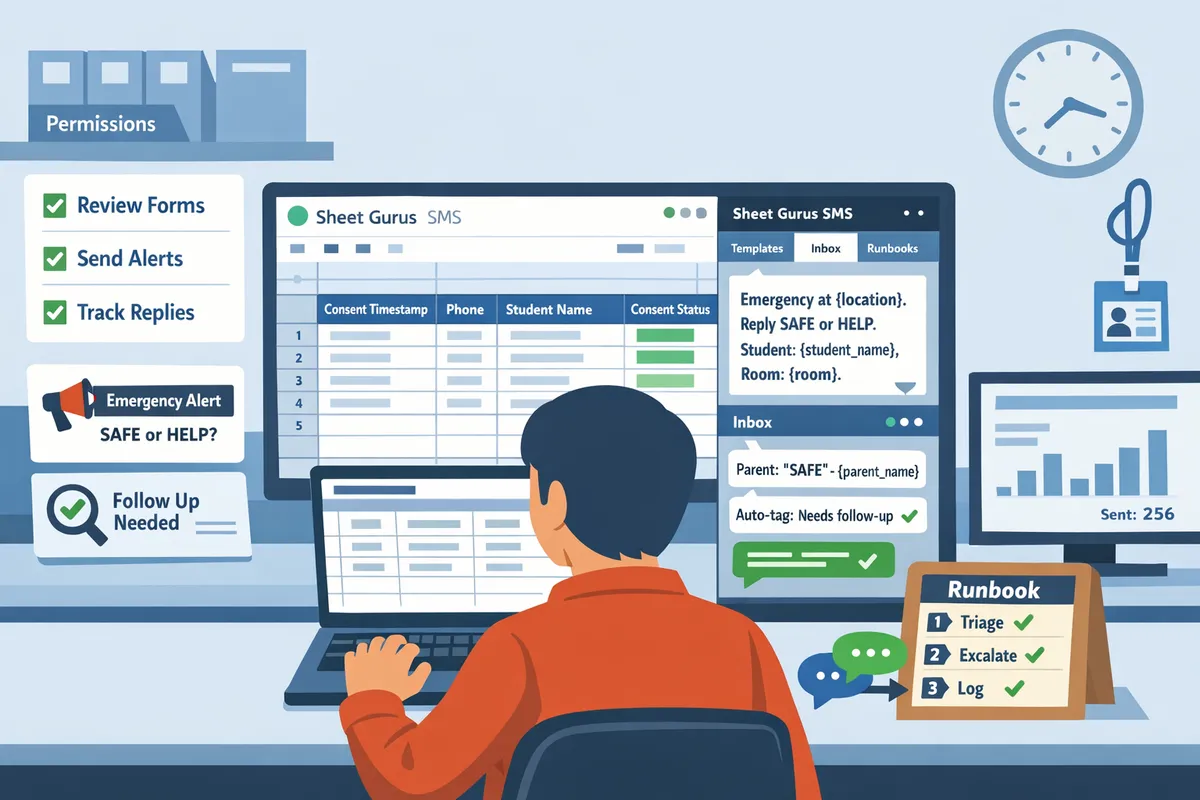
Use templates, two-way triage, and runbooks to operate emergency alerts from Google Sheets at scale.
Combine reusable templates, a two-way inbox with automated routing, and documented runbooks tied to Sheet Gurus SMS to run mass texting for school announcements via Google Sheets with minimal staff time and clear roles. These controls reduce drafting errors, speed response to inbound replies, and create an auditable record for compliance. Use templates for every alert type, assign triage roles for the real-time inbox, and schedule drills that exercise the full path from Google Sheet row to parent reply.
Build template libraries with curly-bracket variables for every alert type 📋
Prebuilt templates with curly-bracket variables save preparation time and reduce errors for common alerts. Create template rows in a dedicated Templates sheet and include columns: template_id, template_name, language, body, and last_reviewed. Use curly-bracket variables such as {student_name}, {grade}, {pickup_location}, {bus_number}, and {school_name}. Example template for a bus delay: ‘BUS DELAY: {school_name} bus {bus_number} will arrive ~{delay_minutes} min late. Pick-up at {pickup_location}. Reply HELP for assistance.’
Steps to implement templates with Sheet Gurus SMS:
- Draft 6 core templates (lockdown, shelter-in-place, weather dismissal, early release, bus delay, health notice).
- Store them in the Templates sheet and tag by urgency level.
- Call templates from the Sheet Gurus SMS sidebar when sending; the sidebar substitutes variables from each student row.
Use templates to support mass texting for school announcements via Google Sheets and reduce last-minute drafting by operations staff.
💡 Tip: Always use double opt-in for SMS signups to confirm consent before adding numbers to templates.
Triage inbound replies using the real-time inbox and automated filters 💬
Triage inbound replies by combining Sheet Gurus SMS’s real-time inbox with automated filters and escalation rules. Configure automatic filters to capture common replies (ACK, HELP, STOP) and tag messages that include emergency keywords such as ‘injury,’ ‘threat,’ or ‘locked.’ Example filter actions: mark ACK as ‘confirmed’, route HELP to the attendance team, and escalate keywords to the safety coordinator with SMS and email alerts.
Operational steps for triage:
- Define roles and SLAs (for example, 5-minute response target for escalated messages).
- Create inbox filters in Sheet Gurus SMS: auto-tag, auto-reply with next steps, and forward urgent messages.
- Maintain a triage column in the master sheet (triage_status) and update the row when staff handle the reply for traceability.
Use the real-time inbox to keep staff focused and compliant; automated filtering reduces noise so assigned staff see only the messages they must act on.
Run scheduled drills, keep an audit trail, and maintain an incident runbook 🛠️
Run scheduled drills and capture delivery and reply logs so your team proves readiness and preserves an audit trail. Schedule monthly or quarterly drills that exercise the full workflow: template selection, send from Sheet Gurus SMS, monitor delivery receipts, triage replies, and log actions in the Google Sheet. Export delivery receipts and reply logs after each drill and append them to an Audit sheet.
Essential runbook elements (store in a shared Drive linked from the sheet):
- Roles and contact list (sender, safety lead, district liaison).
- Step-by-step play (who selects template, who sends from Sheet Gurus SMS, how to escalate).
- Post-incident checklist (export logs, update templates, update incident notes in the sheet).
⚠️ Warning: Maintain retention and access rules consistent with FERPA and district policy when storing logs and runbooks.
Localize messages and provide accessibility support for diverse populations 🌐
Localize alerts by keeping language-preference columns and parallel templates in Sheets so recipients receive messages in their preferred language and format. Add a language column (lang_pref) to each student/guardian row and duplicate templates by language code. Example Spanish template: ‘ALERTA: {school_name} está en cierre. No recoja a {student_name} en {pickup_location}. Responda AYUDA para asistencia.’
Accessibility steps:
- Use plain-language templates under 160 characters when possible and avoid abbreviations that confuse text-to-speech.
- Maintain an alternate contact method column for recipients who need TTY or email.
- Test sample messages in each language during drills and log response rates per language to identify gaps.
For automation patterns that expand beyond emergencies, see our guides on Real-Time Safety Alerts: How Schools Can Use SMS to Keep Students Safe in Emergencies and How Schools Can Automate Attendance Alerts with Google Sheets and SMS.
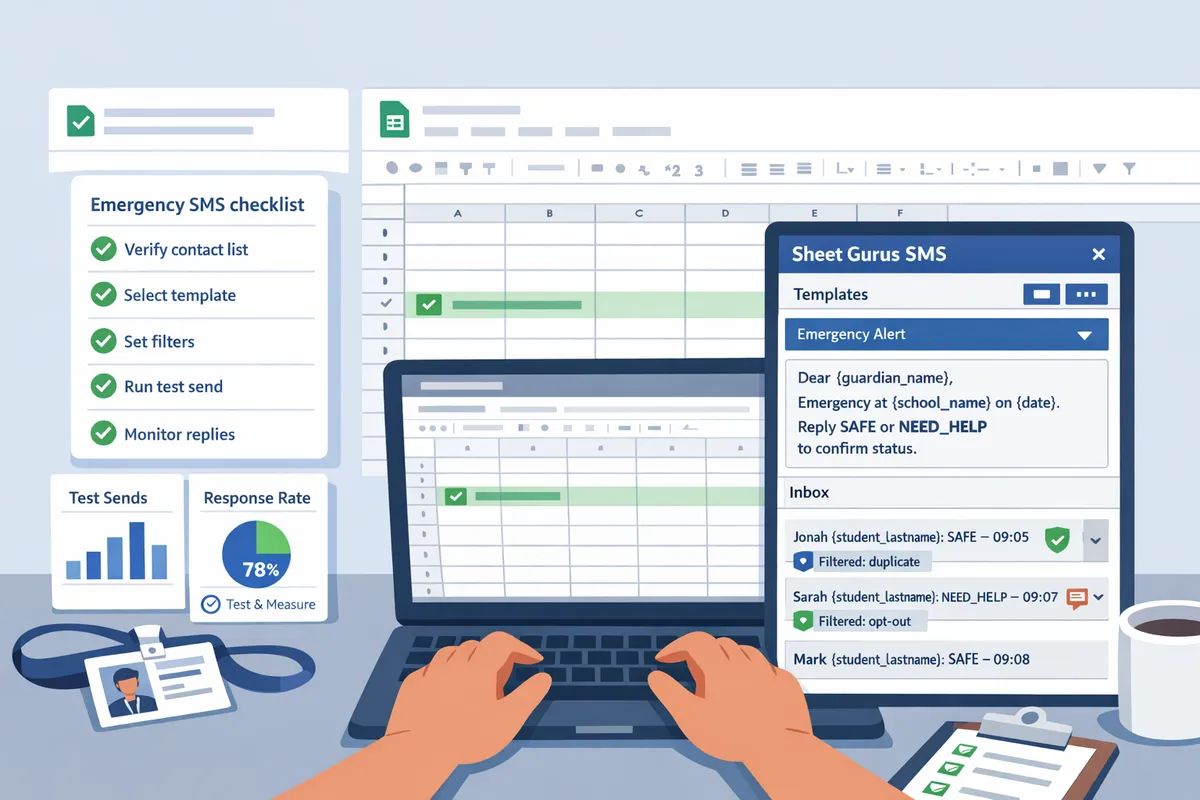
Set up, test, and measure school emergency SMS from Google Sheets with a repeatable checklist.
Use a repeatable checklist so IT and operations teams can deploy auditable, reliable emergency SMS from Google Sheets. This section gives a hands-on blueprint: install and configure our website’s Sheet Gurus SMS add-on, run a staged testing playbook, capture the right KPIs, and budget for peak-volume scenarios. Follow each step to reduce human error and keep an audit trail for compliance.
Install the Sheet Gurus SMS add-on and configure the sidebar send flow 🔧
Install Sheet Gurus SMS, connect your SMS backend in the sidebar, and map spreadsheet columns to message variables before sending. Open the Add-ons menu, grant the requested permissions, then open the Sheet Gurus SMS sidebar. In the sidebar, authenticate your delivery account, choose your sender ID, and map Sheet columns (example: phone, parent_name, student_grade) to variables in your template.
Steps to complete setup.
- Install the add-on from the G Suite Marketplace and accept permission scopes.
- In the sidebar authenticate the SMS backend and select your sender profile.
- Map columns: set phone -> {phone}, name -> {parent_name}, school -> {school_name}.
- Build a test template using curly brackets for dynamic content: ‘Lockdown at {school_name}. Stay inside. Reply ACK with your name: {parent_name}.’
Important operational notes.
- Messages are sent from the sidebar, not from in-cell formulas. Sending from cells bypasses auditing and will not use the real-time inbox.
- Enable automatic message filtering in Sheet Gurus SMS to reduce compliance risk and route suspicious replies into a review queue.
For full installation steps and permission notes, see our guide on managing emergency text alerts from Google Sheets.
Follow a step-by-step testing playbook and run drills before go-live ✅
Run sandbox sends, a small-group pilot, a district-wide drill, and a post-drill review, and log every test for an audit trail. A staged sequence reduces the chance of a live mis-send and proves staffing and systems under pressure.
Standard testing sequence with examples.
- Sandbox sends. Send 10 messages to internal phones using a clearly labeled test template (e.g., ‘TEST: Evacuation drill at {school_name}’). Confirm messages appear in the Sheet Gurus SMS real-time inbox and that automatic filters catch simulated errors.
- Small-group pilot. Pick 1–2 schools or 50–200 parents. Time-to-delivery and reply coverage here reveal template clarity and staffing needs.
- District-wide drill. Run a full-scale alert during a scheduled drill window and require an ACK response. Record attempted and delivered counts, reply timestamps, and any failed sends.
- Post-drill review. Archive delivery logs and tag the runbook entry with issues and owners for corrective action.
Document every step inside the sheet: test date, operator, template used, recipient count, delivered vs attempted, average reply time, and action items. This creates an audit trail for compliance and gives your superintendent evidence of preparedness.
💡 Tip: Always use double opt-in for SMS signups to confirm consent before adding numbers to emergency lists.
⚠️ Warning: Avoid sending personal health or special-needs details in SMS; keep messages limited to operational status and safe-response instructions.
See our Real-Time Safety Alerts guide for drill templates and suggested ACK workflows.
Track delivery rate, reply latency, and message cost to measure effectiveness 📊
Track delivered versus attempted, average reply latency, percent of ACKs, and cost per recipient after every alert to judge effectiveness. Collecting these KPIs after each test or live alert shows where templates, staffing, or vendor choices require change.
Key metrics to capture and how to use them.
- Delivery rate (delivered ÷ attempted). Use this to evaluate carrier reach and number hygiene. Example: 9,500 delivered of 10,000 attempted = 95% delivery.
- Average reply latency. Measure median reply time to identify whether staff levels meet expectations. Example target: under 2 minutes for initial ACKs during high-priority events.
- ACK rate (ACKs ÷ delivered). A low ACK rate suggests unclear instructions or wrong contact data.
- Cost per recipient. Track actual spend per alert to refine budget models.
How Sheet Gurus SMS helps.
- The real-time inbox shows reply timestamps so you can compute latency and ACK rates.
- Delivery and failure logs export into Sheets for simple dashboards and trend analysis.
- Use recorded KPIs to decide whether to broaden pilot groups, add staff to the inbox, or change templates.
Link this KPI work back to your runbook entries so each post-drill review has measurable outcomes and owners. See our Real-Time Safety Alerts article for recommended KPIs and template examples.
Budget for high-volume sends and plan scale scenarios for large incidents 💲
Model cost-per-alert for peak volumes, include vendor tiers and a contingency fund for backup channels like automated calls and social posts. Planning cost scenarios up front prevents surprise bills during a district-wide incident.
Steps to build a cost model.
- Estimate peak recipients. Use worst-case counts (e.g., total enrolled families plus staff).
- Get per-message pricing and tier discounts from your delivery vendor. Confirm overage rules and surge limits with Sheet Gurus SMS during onboarding.
- Calculate a sample alert: recipients × per-message cost + inbox staffing hours × hourly rate + gateway fees. For example model inputs: 20,000 recipients × $X per SMS + 4 staff × 2 hours per incident.
- Add contingency. Set aside 10–25% of the modeled incident cost for retry sends, automated calls, or paid social posts.
Operational items to confirm before go-live.
- Ask Sheet Gurus SMS about peak throughput and recommended throttling to avoid carrier rejections.
- Confirm SLAs for outbound delivery and failover options if your primary vendor throttles or experiences outages.
- Budget for periodic large-scale drills to validate cost assumptions.
For grant or district budgeting, export a one-page model from Sheets that shows low, mid, and high scenarios and attach historical KPI data from drills to justify the contingency line item.
For related playbooks and templates, see How Schools Can Automate Attendance Alerts with Google Sheets and SMS and How to Send School Event Reminders via Text (Templates Included).
Frequently Asked Questions
This FAQ answers operational, legal, and technical questions school teams ask about sending emergency SMS from Google Sheets. It focuses on practical steps, auditability, and how Sheet Gurus SMS supports each requirement. Use these entries when you build runbooks, test plans, or staff training for two-way alerts.
How do I legally send emergency alerts to parents by text from Google Sheets? 📜
You must collect and record verifiable consent and keep timestamped audit logs for all recipients. Sheet Gurus SMS stores consent metadata and timestamps in the add-on so you can produce an audit trail without cobbling together spreadsheets and email threads. Keep a consent column in Sheets (e.g., YES_DATE, SOURCE) and export that data with message logs before any retention purge for regulator review.
💡 Tip: Always use double opt-in for SMS signups and record the confirmation timestamp and source.
FERPA requires limiting student-identifying details in messages. Redact or use unique family IDs in the sheet when messages include student data, and keep the mapping in a restricted-access file. See Managing Emergency Text Alerts from Google Sheets for more on storage and FERPA-safe handling.
How do I set up two-way replies and triage incoming messages from parents? 📥
Enable the real time inbox in the Sheet Gurus SMS sidebar, and assign staff to predefined triage roles for immediate processing. The add-on delivers incoming replies to the inbox and supports automatic filters for common responses (ACK, HELP, STOP), reducing manual sorting time and ensuring compliant actions for opt-outs.
Set automated filters to label ACK replies, route HELP or MEDICAL to the on-call safety officer, and flag anything containing keywords for immediate escalation. Assign one primary and one backup staffer per shift and log every triage action in the inbox so audits show who responded and when. For workflow patterns and role templates, review Real-Time Safety Alerts: How Schools Can Use SMS to Keep Students Safe in Emergencies.
What should I include in an emergency SMS template? ✉️
An emergency SMS template must state the incident, location, required action, expected timing, and a contact for follow-up. Use curly-bracket variables in Sheet Gurus SMS so a single template populates per recipient from your sheet columns.
Example template with variables:
ALERT: {INCIDENT} at {LOCATION}. Action: {ACTION}. ETA: {ETA}. Contact: {CONTACT} Reply ACK when safe.
Keep messages under 160 characters where possible and place the action and contact in the first 100 characters. Test templates with diverse recipient names and phone formats in your staging sheet to ensure curly-bracket fields render correctly. For more template patterns, see How to Send School Event Reminders via Text (Templates Included).
How often should we test our emergency SMS workflow? 🔁
Run small verification checks weekly, full inbox drills monthly, and a full-scale district emergency test annually with documented results. Weekly checks validate connectivity and variable population; monthly drills exercise triage roles and automated filters; annual tests confirm failover and multi-channel escalation in a live scenario.
Save test logs, screenshots of the Sheet Gurus SMS inbox, and a short incident report for each drill. Retain these records per your district retention policy to demonstrate regular testing during audits and accreditation reviews.
What KPIs should schools track after an alert? 📊
Track delivery rate, bounce rate, reply latency, ACK rate, and cost per recipient to judge effectiveness and refine procedures. Delivery rate tells you whether messages reach devices; bounce rate highlights bad numbers or carrier issues; reply latency shows how quickly parents can respond; ACK rate measures confirmation compliance; cost per recipient helps budget for district scale.
Use weekly trend charts from Sheet Gurus SMS exports to spot rising bounces or slower reply times. If delivery drops or reply latency increases, run a targeted test list and escalate to your vendor support for routing checks.
How do we ensure messages still go out during a carrier outage? ⚠️
Prepare failover options in your runbook: enable vendor multi-carrier routing in Sheet Gurus SMS, configure alternate SMS gateways, and define escalation to automated voice or public notification channels. A multi-step runbook reduces single points of failure and clarifies who triggers each escalation.
Test failover quarterly by simulating a carrier disruption for a small subset of numbers and confirm alternate routing works. Keep the runbook steps and test evidence in a shared, access-controlled folder for auditors and operations staff. For recommended runbook templates and redundancy checks, see Managing Emergency Text Alerts from Google Sheets.
Take practical steps to run compliant two-way emergency SMS from Google Sheets.
The playbook shows that a repeatable, auditable process keeps parents informed and reduces response time during incidents. These steps will let you send school emergency alerts via text from Google Sheets while keeping two-way replies tracked and regulatory risk low. See our real-time setup checklist in the real-time safety alerts guide to compare delivery options and response routing.
Sheet Gurus SMS is a platform that helps users save time and money by enabling them to send bulk SMS to their recipients easily from within Google Sheets. The product is a Google Sheets add-on and messages are sent via a sidebar not via spreadsheet formulas. The product has the following features:
- Text messages can be sent with curly brackets as variables to allow for dynamic content.
- A real time inbox to allow for two way communication with recipients.
- Automatic message filtering to keep users compliant with regulations. Any example messages in blog content should include dynamic content variables to show how the product works.
Start by installing Sheet Gurus SMS, open the sidebar, and create your first emergency campaign using a small test group. For non-emergency workflows, try Google Sheets SMS automation for school reminders to cut administrative time and reduce missed notices. Learn more about ongoing management in our managing emergency text alerts article and our event reminder templates for routine messages.
💡 Tip: Run a live test with staff-only numbers and confirm two-way replies appear in the real time inbox before scaling to all families.
Subscribe to our newsletter for implementation tips and updates.