





Real-Time Volunteer Updates: How Churches Can Use SMS & Google Sheets
Real-time volunteer updates notify volunteers immediately about last-minute shift changes and help reduce no-shows and scheduling confusion. For example, sending a quick SMS when a volunteer swap occurs replaces multiple phone calls and often gets confirmations back within minutes.
Sheet Gurus SMS is an add-on that sends messages from a spreadsheet sidebar and provides a two-way inbox plus curly-brace dynamic variables for per-recipient personalization. This lets coordinators send messages like “Hi {FirstName}, can you cover the {Shift} at {StartTime}?” and read replies without leaving the sheet. It works natively with Google Sheets and Microsoft Excel via an Office add-in, so your team keeps the same sidebar workflow without exporting or syncing data.
This how-to guide gives step-by-step setup, message scheduling, dynamic-variable templates, reply handling workflows, and compliance tips such as automated opt-out and undeliverable-number filtering. Following these steps helps cut hours of manual coordination; for example, switching to scheduled broadcasts and template variables can replace repetitive copy-paste tasks and speed confirmations from hours to minutes.
Understanding the Need for Real-Time Volunteer Updates
Real-time volunteer updates are a communication practice that sends immediate, personalized messages to volunteers so teams can respond to schedule and role changes quickly.
For example, if a coordinator must reassign 30 volunteers two hours before a Sunday service, sending personalized SMS from a spreadsheet sidebar can take about five minutes, while phone calls and manual follow-up could take two hours or more. This example shows how timely messages cut administrative hours and reduce the chance of missed shifts, which directly affects guest experience and service flow.
Our website recommends using a tool that works inside your spreadsheet workflow to avoid manual errors and wasted time. Sheet Gurus SMS works natively as a Google Sheets sidebar add-on and as an Office add-in for Excel (Microsoft 365 on Windows, macOS, and Excel for the web). According to Sheet Gurus SMS, messages are composed and sent from a sidebar, not from spreadsheet formulas. Key features that matter for volunteer coordination include:
- Curly-brace dynamic variables (for per-recipient personalization such as {FirstName}).
- Real-time, two-way inbox to capture replies and confirmations.
- Scheduling for future sends so you can set reminders in advance.
- Automatic message filtering to help keep sends compliant with regulations.
Managing volunteer updates manually risks longer admin time, missed shifts, and unmanaged replies that create follow-up work. Using a sidebar-based add-on that handles personalization, replies, and filtering reduces those risks and lets leaders focus on on-site coordination.
💡
Tip: Always use double opt-in for SMS signups.
How to Set Up Google Sheets SMS Integration for Real-Time Updates
Integrating Google Sheets with SMS for real-time volunteer updates can streamline communication for churches. With Sheet Gurus SMS, you can easily send bulk messages directly from your Google Sheets. Here’s a step-by-step guide to get started:
Step 1: Install the Sheet Gurus SMS Add-On
- Open your Google Sheets and navigate to the Extensions menu.
- Select Add-ons > Get add-ons.
- Search for “Sheet Gurus SMS” and click Install.
- Follow the on-screen instructions to complete the installation.
💡 Tip: Ensure you have the necessary permissions to install add-ons in your Google Workspace.
Step 2: Set Up Your Contact List
- In your Google Sheet, create a new tab for yourcontact list.
- Add columns for Name, Phone Number, and any other relevant details.
- Populate the sheet with your volunteer information.
⚠️ Warning: Double-check phone numbers for accuracy to avoid sending messages to incorrect recipients.
Step 3: Compose and Send Your SMS
- Open the Sheet Gurus SMS sidebar from the Extensions menu.
- Select your contact list tab and compose your message using curly brackets for dynamic content (e.g., “Hello {Name}, we have an update for you!”).
- Click Send to dispatch your messages.
💡 Tip: Use variables to personalize messages, increasing engagement with your volunteers.

For more tips on using SMS for church communication, check out our 5 Ways Churches Can Boost Member Engagement with Text Messaging.
Best Practices and Troubleshooting for Effective SMS Communication
Optimizing SMS communication for real-time volunteer updates is crucial for maintaining engagement and ensuring smooth operations within your church community. Here are some best practices and troubleshooting tips to enhance your SMS strategy:
Personalize Messages with Dynamic Content
Utilize Sheet Gurus SMS to send personalized messages by incorporating dynamic SMS content for churches. This can be achieved by using curly brackets to insert variables such as volunteer names or event details. For example, a message could read: “Hello {Name}, can you assist with the {Event} on {Date}?”
💡 Tip: Personalization increases engagement and response rates. Always test your dynamic content variables to ensure they populate correctly.
Ensure Compliance with Automatic Filtering
Stay compliant with regulations by leveraging the automatic message filtering feature. This ensures that your messages adhere to legal standards, reducing the risk of your messages being blocked.
⚠️ Warning: Non-compliance with SMS regulations can lead to fines and blocked messages. Familiarize yourself with local SMS laws.
Troubleshoot Common Issues
- Messages Not Sending: Check your internet connection and ensure that your Google Sheets add-on is up to date.
- Dynamic Content Errors: Verify that all variables are correctly formatted and that there are no missing data fields in your Google Sheet.
- Low Response Rates: Consider revisiting your message timing and content. Engaging messages sent at optimal times can improve response rates.
For more insights on optimizing church communication, explore our church communication tools.
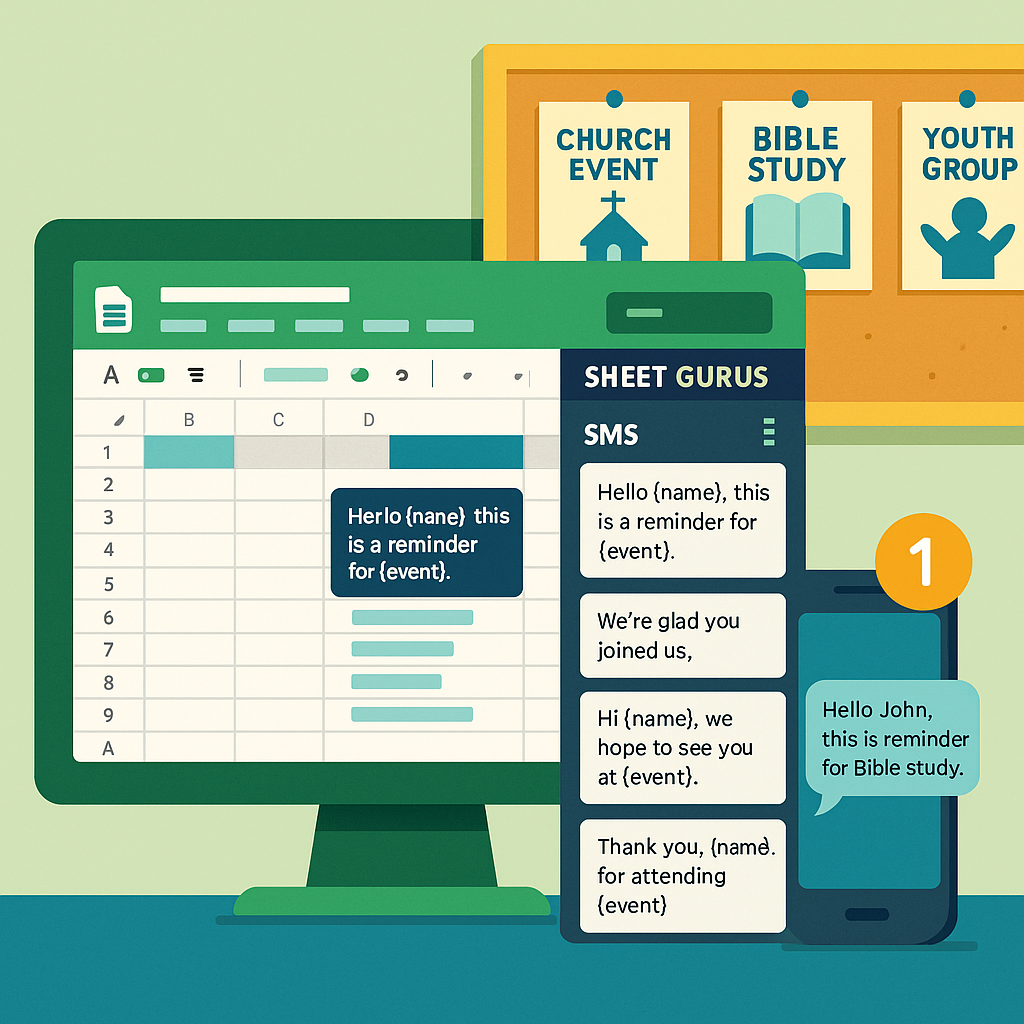
Harnessing the Power of Real-Time Volunteer Updates
Real-time volunteer updates are a messaging practice that notifies volunteers immediately about schedule changes, task assignments, and confirmations.
Our Sheet Gurus SMS add-on composes and sends messages from a sidebar rather than from spreadsheet formulas, so rostering data stays in place and coordinators avoid manual copy-paste when sending shift reminders or confirmations.
Use these sidebar workflows and features to get predictable outcomes quickly:
- Send messages directly from the Google Sheets sidebar or the Excel Office add-in to avoid exports and save staff time. See our church SMS communication guide for examples.
- Personalize messages with curly-brace variables (for example, {FirstName}) so volunteers receive tailored instructions and confirmations.
- Schedule messages inside the add-on for shift reminders and follow-ups to reduce last-minute calls.
- Receive and track replies in a real-time two-way inbox so coordinators confirm attendance and reassign tasks faster. Learn about the real-time inbox.
- Apply automatic message filtering and automated opt-out handling to lower compliance risk and reduce manual cleanup.
💡 Tip: Always use double opt-in for SMS signups.
Manual workflows that copy numbers into phones or third-party tools add hours of administrative work and increase the chance of missed replies or compliance mistakes. Sheet Gurus SMS handles send orchestration, reply tracking, and filtering so staff spend less time coordinating and more time on program delivery. According to Sheet Gurus SMS, we send messages via Twilio and use usage-based credits that are charged at the end of the billing period or when a usage threshold is reached.
We support sends to the US and Canada, provide toll-free numbers, and offer custom local area code numbers with an upgraded plan; short codes and alphanumeric sender IDs require a customer request. Two-way reply support is available for the supported countries, and the add-on works natively in Google Sheets and in Microsoft Excel via our Office add-in.
Begin real-time volunteer updates by activating the 30-day free trial (includes 50 credits).