




Google Calendar SMS Apps vs Google Sheets SMS Add-On
Small teams that split reminders between calendar apps and spreadsheets face missed or duplicate texts and delayed replies. Google Calendar SMS Apps vs Google Sheets SMS Add-On is a comparison that evaluates scheduled reminders, two-way replies, compliance, and total cost for small teams. Our platform Sheet Gurus SMS is a Google Sheets add-on that sends bulk SMS from a sidebar, keeping scheduling and client data together instead of relying on spreadsheet formulas. It uses curly-brace variables like Hi {first_name}, your appointment at {time} is confirmed., offers a real-time inbox for two-way replies, and automatic message filtering for compliance. Compare calendar marketplace options with our Sheets-first workflow via the Sending SMS from Google Sheets guide and the Text Appointment Reminders use case. Which setup saves the most time and cuts billing risk for a three-person office?
Which workflow fits my team: Google Calendar SMS Apps or a Google Sheets SMS Add-On?
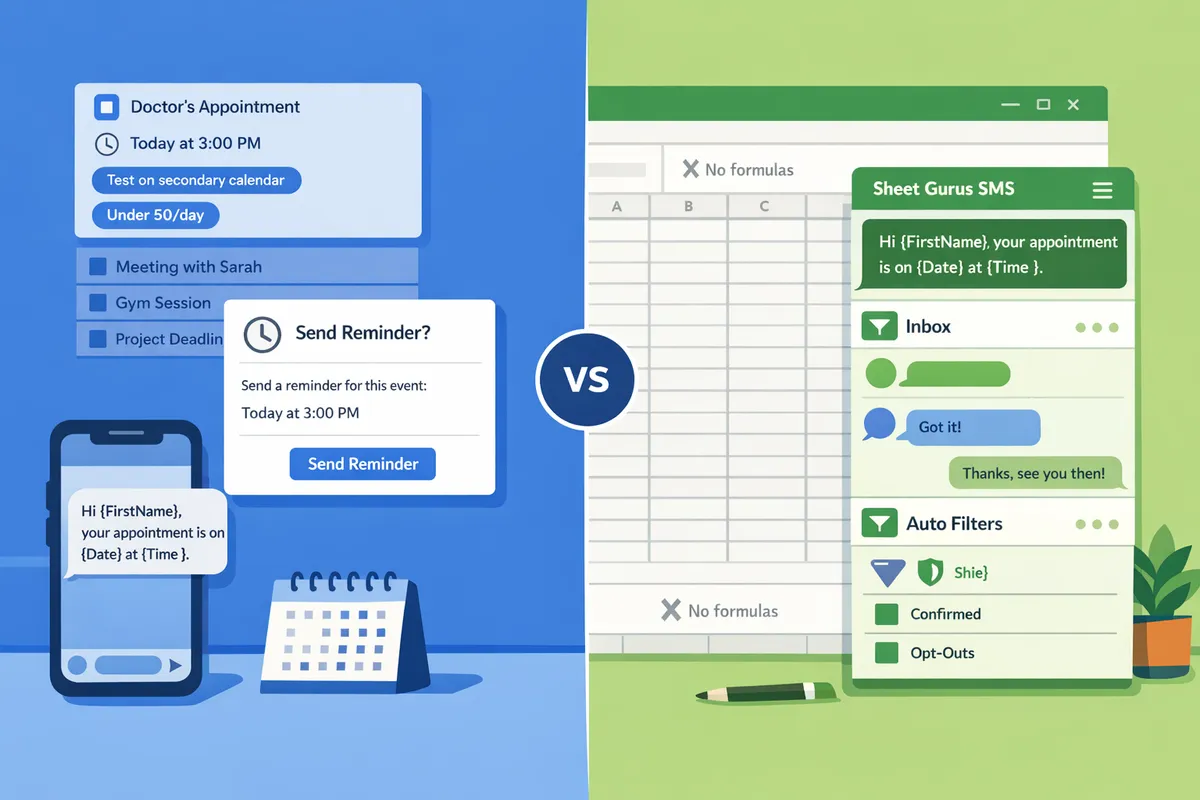
Choose a Google Calendar SMS app when your needs are calendar-native, low-volume, and you want minimal setup; choose a Google Sheets SMS add-on when you need bulk messaging, per-recipient variables, two-way replies, or compliance logging. Our Sheet Gurus SMS add-on sits in a sidebar and is designed for batching, personalization with curly-brace variables, and a real-time inbox that captures replies. The rest of this section spells out the tradeoffs, typical teams and volumes, and a short decision tree to match your needs to the right option.
What is a Google Calendar SMS app?
A Google Calendar SMS app is a calendar-integrated tool that sends SMS reminders from event entries and attaches to a single calendar or account. Calendar apps focus on event-driven reminders, native calendar triggers, and a lightweight setup that most receptionists or small teams can configure in under an hour. Typical marketplace examples include Koalendar and Apptoto, which handle one-off or scheduled reminders directly from events and often enforce per-account daily caps or single-direction messaging. Teams that prefer a “set it and forget it” reminder tied to a staff calendar—for example, a solo therapist sending appointment confirmations—usually pick a calendar app to avoid managing a separate spreadsheet.
Google Calendar apps fall short when you need bulk personalization or reply handling; our Sheet Gurus SMS add-on fills that gap by providing curly-brace variables and a real-time inbox for two-way messages. For calendar-specific reminder templates and scheduling options, see our Text Appointment Reminders page for sample workflows and templates.
What is a Google Sheets SMS add-on? 📄
A Google Sheets SMS add-on is an extension that sends messages from spreadsheet data and typically supports bulk personalization using variables. Sheets add-ons excel at dynamic content, for example: Hi {FirstName}, your appointment at {Location} is on {Date} at {Time}. They also make batching, filtering, and multi-column logic simple so office managers can segment lists and re-run sends without rebuilding calendar events.
Our Sheet Gurus SMS add-on sends messages from a sidebar rather than spreadsheet formulas, supports curly-brace variables, and includes a real-time inbox for two-way replies plus automatic message filtering to help with compliance. Typical teams that favor a Sheets workflow include clinics sending follow-ups to 50–200 patients per day,
schools running event reminders with RSVP tracking, and retail teams doing targeted promotional blasts. For a step-by-step setup on using Sheets for bulk SMS, follow Sending SMS from Google Sheets with Sheet Gurus SMS.Quick decision tree 🌳
Answer these four questions to pick a solution: volume, two-way replies, personalization needs, and compliance logging.
- What is your daily send volume?
- Under 50/day. Pick a Google Calendar SMS app for simple, calendar-tied reminders. Calendar apps usually cost less to set up and require almost no data prep.
- 50–200/day. Trial Sheet Gurus SMS for batching, personalization, and reply handling. This range benefits from spreadsheet filters and the real-time inbox.
- 1000+/day. Contact a vendor for volume pricing and delivery planning to avoid throttling and compliance risk.
- Do you need two-way replies tracked in one place?
- No. A Calendar app will be sufficient if you only send single-direction reminders.
- Yes. Use Sheet Gurus SMS so replies land in a real-time inbox tied to your spreadsheet rows.
- Do messages need per-recipient variables or templates with multiple fields?
- No. Calendar templates work for simple reminders.
- Yes. Sheets add-ons with curly-brace variables (for example, Hi {FirstName}, confirm {ApptDate}?) save hours and reduce manual errors.
- Do you require explicit compliance logging and message filtering?
- Minimal logging. Calendar apps provide basic send receipts.
- Full logging and filtering. Sheet Gurus SMS captures consent fields, applies automatic message filtering, and keeps reply logs tied to rows.
Recommended next step: if you match two or more Yes answers above, open a free trial of Sheet Gurus SMS and test a 7-day workflow with a sample roster. If you answered mostly No and volume stays under 50/day, install a calendar app and test reminders on a secondary calendar first.
💡 Tip: Always use double opt-in for SMS signups and store consent timestamps in your spreadsheet to simplify audits.
How do Google Calendar SMS apps and Google Sheets SMS add-ons compare on features, reliability, and total cost?
Google Calendar SMS apps excel at event-triggered reminders with minimal setup, while Google Sheets SMS add-ons such as Sheet Gurus SMS focus on bulk personalization, two-way replies, and built-in compliance controls. This difference changes total cost of ownership: calendar apps reduce setup time for low volumes, while sheet add-ons reduce manual work and audit risk as volume and personalization needs grow. The table and notes below give side-by-side criteria, real-world cost benchmarks, and practical guidance for 72h/24h/2h reminder workflows.
Comparison table 📊
The table below compares setup time, personalization, two-way replies, delivery behavior, consent logging, per-message cost, monthly fees, and daily sending limits across Koalendar, Apptoto, generic Google Calendar apps, and Sheet Gurus SMS.
| Criteria / Product | Koalendar | Apptoto | Google Calendar marketplace apps (generic) | Sheet Gurus SMS (Google Sheets add-on) |
|---|---|---|---|---|
| Scheduling triggers | Calendar-native event triggers. | Calendar-native with built-in cadence controls. | Calendar event triggers vary by vendor. | Spreadsheet or linked-calendar triggers via sidebar scheduler. |
| Setup time | 10–30 minutes for basic reminders. | 20–45 minutes for full cadence and templates. | 10–60 minutes depending on app complexity. | 30–90 minutes for spreadsheet mapping and templates. |
| Personalization (variables) | Limited templates; basic variables. | Template variables supported; limited bulk edits. | Varies; many lack bulk variable support. | Full curly-brace variables ({FirstName}, {Time}, {Location}) for bulk personalization. |
| Two-way inbox / replies | Often limited; some apps offer webhook replies. | Two-way supported with reply routing. | Usually one-way or webhook-dependent. | Real-time inbox inside Sheets for two-way messages and staff responses. |
| Delivery reliability & retry behavior | Good for single reminders; retry policies vary. | Strong delivery tracking and retries for scheduled sequences. | Varies widely; many apps show little retry transparency. | Delivery status monitoring and retry reporting in the sidebar. |
| Compliance logging (opt-ins, records) | Basic logging; often requires external export. | Built-in consent fields available. | Rarely includes persistent consent logs by default. | Automatic filtering and opt-in fields captured in Sheet and inbox for audits. |
| Per-message cost (example range) | $0.03–$0.08 | $0.03–$0.07 | $0.02–$0.10 | $0.03–$0.07 (platform + carrier fees) |
| Monthly subscription | Free tier; paid tiers $10–$40 | $20–$80 | Free to $50 depending on vendor | Add-on subscription tiers $15–$75 depending on volume and features |
| Daily sending limits | Low to medium (100–500/day typical) | Medium (200–2000/day) | Varies by vendor and account limits | Configurable daily limits; suitable for bulk up to enterprise volumes with plan changes |
| Estimated cost for 50 msgs/day | Low monthly fees; per-message costs dominate. | Moderate (subscription + per-message). | Low to moderate. | Lower effective cost when personalization reduces follow-ups. |
| Estimated cost for 200 msgs/day | Subscription plus higher per-message spend; calendar apps can struggle. | Economical with mid-tier plan. | May hit vendor limits or throttling. | Designed for this range; sidebar scheduling and inbox reduce staff time. |
| Estimated cost for 1,000 msgs/day | Likely requires enterprise plan or additional provider. | Scales but subscription rises. | Many marketplace apps not suitable without upgrades. | Scales with plan; bulk discounts and lower maintenance overhead. |
| Maintenance burden | Low initially; limited automation needs. | Medium; needs occasional template and cadence tweaks. | Varies; often low but brittle if workflows extend. | Low ongoing scripting needs; Sheet Gurus SMS sidebar reduces custom script maintenance. |
Feature and reliability notes ⚙️
Calendar apps answer the need for simple, calendar-native reminders with short setup time. Calendar-native apps trigger directly from event metadata, which cuts the steps for single reminders and reduces chance of scheduling mismatch. Koalendar and many Google Calendar marketplace apps fit this pattern.
Sheet-based workflows add reliability for bulk, variable-rich campaigns where each recipient needs a customized message. Sheet Gurus SMS sends from a sidebar rather than spreadsheet formulas, reducing fragile formula errors and avoiding rate-limit surprises from Apps Script or Zapier. Our guide shows small business operators often spend 3–5 hours each week cleaning contact lists before a send; that recurring effort becomes the real maintenance cost for DIY approaches. Link to the buyer’s guide for a TCO calculator and implementation trade-offs: How to Integrate Google Sheets with SMS: Add-on vs Apps Script vs Zapier/Make (Buyer’s Guide + TCO Calculator).
💡 Tip: Always use double opt-in for SMS signups.
Delivery transparency differs by product. Apptoto and higher-tier calendar apps usually provide clear delivery receipts and automatic retries for failed attempts. Generic marketplace apps vary; many do not expose retry logs without exporting. Sheet Gurus SMS shows delivery status in the sidebar and surfaces failed sends so staff can requeue messages quickly, which reduces missed reminders and manual follow-up time.
Pricing and total cost of ownership (TCO) with example scenarios 💰
TCO depends on subscription fees, per-message costs, and maintenance hours required to keep lists clean and templates current. The following 12-month examples include estimated subscription + per-message spend + maintenance time cost (assume $35/hour staff cost). These are illustrative scenarios to compare real choices.
1) Low volume — 50 messages/day (approx. 1,500/month).
- Koalendar / generic calendar app: Subscription $10/mo + messages $0.05 each = $75/mo messages. Annual TCO ≈ $1,020 (low maintenance).
- Apptoto: Subscription $30/mo + messages $0.04 each = $60/mo messages. Annual TCO ≈ $1,080 (good tracking).
- Sheet Gurus SMS: Subscription $20/mo + messages $0.04 each = $60/mo messages + minimal maintenance due to sidebar. Annual TCO ≈ $960.
2) Medium volume — 200 messages/day (approx. 6,000/month).
- Koalendar / generic app: Possible throttling or per-message premium. Subscription $30/mo + $0.06/msg = $360/mo messages. Annual TCO ≈ $4,680 plus added manual requeues.
- Apptoto: Subscription $50/mo + $0.045/msg = $270/mo messages. Annual TCO ≈ $3,840.
- Sheet Gurus SMS: Subscription $45/mo + $0.04/msg = $240/mo messages. Annual TCO ≈ $3,420. Reduced staff hours from two-way replies and delivery retries lower net cost.
3) High volume — 1,000 messages/day (approx. 30,000/month).
- Koalendar / generic app: Likely requires enterprise plan; per-message premiums apply. Annual TCO > $15k depending on vendor.
- Apptoto: Scales but subscription and per-message spend rise; expect mid/high five figures annually.
- Sheet Gurus SMS: Designed to scale with plan upgrades; bulk pricing and reduced maintenance hours usually lower effective cost and speed up time-to-value for personalized campaigns.
Practical effect: bulk personalization and fewer failed messages reduce effective cost per successful reminder because staff spend less time chasing no-shows. For implementation and alternative TCO scenarios see our detailed comparison in Send Messages from Google Sheets: 2026 Ultimate Guide — Add-on vs Apps Script vs Zapier vs AppSheet, with Two-Way SMS.
Compliance, consent logging, and opt-in handling 🛡️
Accurate consent logs and opt-in capture protect you during audits and reduce TCPA-style risk. Store persistent opt-in records with timestamp and source so you can prove permission for each phone number. Suitable fields to record in your spreadsheet: Phone, ContactName, OptIn (Yes/No), OptInTimestamp, OptInMethod (web form, paper, phone), ConsentText (exact opt-in language), EventID, MessageTemplateID, LastMessageID, Response, ResponseTimestamp.
For 72h/24h/2h reminder flows, capture the reminder type and the confirmation response in the same row as the event. Example template message that demonstrates variables: Hi {FirstName}, reply YES to confirm your appointment on {Date} at {Time}. Reply NO to cancel. Record the reply and timestamp in columns Response and ResponseTimestamp and preserve the original message text in ConsentText for audits.
Which workflow records consent most reliably? Calendar apps often require separate logging; many export only transient logs. Sheet Gurus SMS records opt-ins and applies automatic message filtering and a real-time inbox so confirmations and opt-outs persist in the sheet and inbox for audit retrieval. For school and event use cases, see How to Deliver School Event Text Reminders from Google Sheets: Calendar-to-SMS Workflow with Two-Way Replies (2026) and The Complete 2026 K-12 Guide to Google Sheets SMS Alerts and Two-Way Calendar Reminders for templates and step-by-step field mappings.
⚠️ Warning: Avoid storing sensitive health or payment data directly in message bodies; store minimal identifiers and link to secure records where required.
Which option should I pick and how do I implement it for 72h/24h/2h reminders, two-way replies, and compliance?
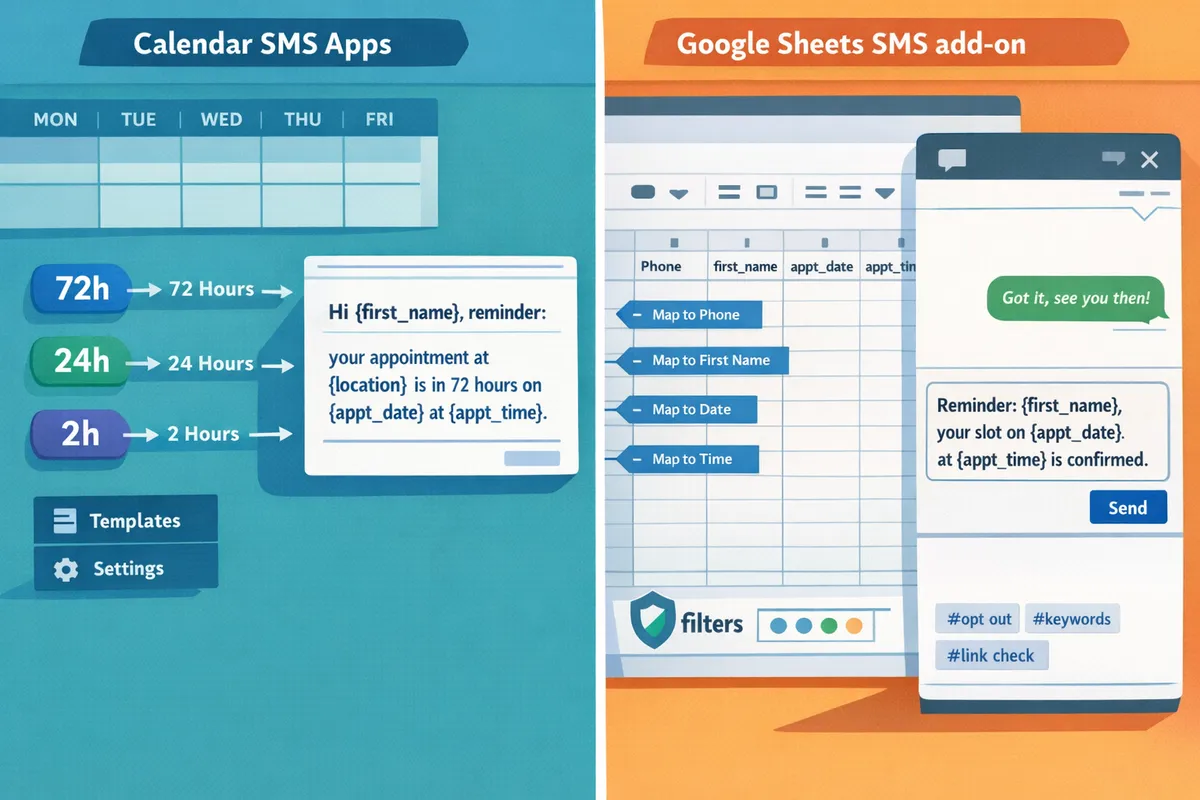
Pick the tool based on message volume, whether you need two-way replies, how much personalization you want, and your compliance requirements. Calendar-native apps work best for low-volume, event-only reminders; a Google Sheets SMS add-on like Sheet Gurus SMS fits bulk, variable-driven reminders and reply handling. The rest of this section gives profile-specific pros and cons, step-by-step reminder templates for 72h/24h/2h windows, an operational rollout checklist, and a recommendation for when to choose Sheet Gurus SMS.
Pros and cons by buyer profile 📊
Small clinics face high staff costs for manual confirmations and moderate compliance risk. Pros of calendar apps: minimal setup and direct event triggers. Cons: limited personalization and no scalable two-way inbox, which forces staff calls. For clinics that handle 200–500 appointments monthly, a Sheets add-on reduces manual confirmation calls and saves staff hours. For an example workflow for clinics, see our appointment reminders use case.
Education schedulers often lose staff time to mass outreach and follow-ups. Pros of calendar apps: direct parent-facing event reminders. Cons: manual RSVP tracking and no centralized reply handling; manual reminder calls can consume up to eight staff hours weekly at an elementary school. Our K-12 guide maps a Google Sheets workflow to cut that time and capture replies in one place.
Salons need per-recipient variables and late-cancellation recovery. Pros of calendar apps: fast setup per stylist. Cons: poor bulk messaging and limited templates, which increases missed-revenue risk. A Sheets add-on lets you send targeted recovery offers (example below) that recover revenue without extra staff calls.
Event teams run variable RSVP lists and last-minute updates. Pros of calendar apps: good for single-event confirmations. Cons: scaling custom messages and tracking two-way RSVPs becomes manual at higher volumes. For events over a few hundred guests, a Sheets approach with a live inbox simplifies RSVP capture.
For calendar comparisons including Koalendar and Apptoto, read our buyer’s guide on integrating Google Sheets with SMS to compare setup, TCO, and limits.
Step-by-step implementation templates and message examples ✉️
Always set schedule rule, capture consent, then set reply handling. Two-way SMS is a channel that allows recipients to reply and staff to manage replies in a single, searchable inbox. Use the following templates and then configure Sheet Gurus SMS sidebar scheduling and the real-time inbox.
72-hour reminder (best for large lead times)
- Schedule rule: send at 72 hours before {date_time}.
- Consent: add a checkbox column labeled “SMS opt-in” with timestamp on opt-in.
- Reply handling: route replies to the Sheet Gurus SMS real-time inbox and tag staff owner. Example message:
- Hi {first_name}, this is a reminder for your appointment on {date} at {time}. Reply YES to confirm or NO to cancel.
24-hour reminder (confirmation window)
- Schedule rule: send at 24 hours before {date_time}.
- Consent: verify opt-in column; if blank, do not send.
- Reply handling: auto-filter replies with keywords YES/NO. Example message:
- Reminder: {first_name}, your appointment at {location} is tomorrow at {time}. Reply YES to confirm. Reply HELP for options.
2-hour reminder (day-of, high urgency)
- Schedule rule: send at 2 hours before {date_time}.
- Consent: re-check opt-in and recent opt-out flags.
- Reply handling: high-priority tag in inbox for same-day changes. Example message:
- {first_name}, your {service} at {location} starts in 2 hours at {time}. Reply CHANGE to reschedule or CALL for assistance.
How to configure Sheet Gurus SMS sidebar and inbox
- Open the Sheet Gurus SMS add-on and map columns for {first_name}, {date}, {time}, {location}, and opt-in.
- Create a scheduled job in the sidebar and set the send window (72h/24h/2h).
- Enable the real-time inbox and set auto-filters for YES/NO/HELP.
- Test with a 3-number pilot group before full rollout.
Refer to our step-by-step guide for full setup instructions and examples.
Operational checklist and troubleshooting 🛠️
Start rollout with these numbered tasks and monitor delivery closely. According to Sheet Gurus SMS guidance, a short pilot uncovers the most common errors before scaling.
- Data hygiene. Clean phone numbers to E.164 format (e.g., +12223334444). Remove duplicates and inactive contacts.
- Consent logging. Add an “opt-in” timestamp column and store consent text in a locked tab.
- Test sends. Send to 3 staff numbers for each reminder window and confirm delivery and reply handling.
- Monitor delivery reports. Check failed, delivered, and queued counts after each send.
- Fallback workflows. Define an email or voice fallback for undelivered high-priority alerts.
Troubleshooting common issues
- Failed sends: verify phone-format, account balance, and carrier error codes in the delivery report.
- Duplicate messages: use a dedupe column or Sheet Gurus SMS duplicate protection to prevent repeated sends.
- Managing replies: use inbox filters to route YES/NO and set auto-acknowledgement for common keywords.
💡 Tip: Always use double opt-in for SMS signups and keep the opt-in timestamp in your sheet for compliance records.
Recommendation and when to choose Sheet Gurus SMS ✅
Choose Sheet Gurus SMS when you need bulk personalization, two-way replies, and built-in compliance controls without building and maintaining scripts. Sheet Gurus SMS provides curly-brace variables for dynamic messages, a sidebar scheduler so you do not depend on spreadsheet formulas, and a real-time inbox with automatic filtering to reduce manual inbox work.
Pick a calendar-native app (Koalendar or Apptoto) when you need low-volume, calendar-triggered reminders and minimal setup. For a full comparisons including setup time, maintenance, and total cost of ownership between calendar apps, Apps Script, Zapier, and add-ons, see our buyer’s guide and the 2026 ultimate guide comparing add-on vs Apps Script vs Zapier vs AppSheet.
If your team handles two-way confirmations, recurring bulk sends, or needs compliance filtering built in, choose Sheet Gurus SMS to remove hours of weekly maintenance and avoid script upkeep. For K-12 or large event use cases, see our K-12 guide and the calendar-to-SMS workflow article for exact mapping examples and templates.
Frequently Asked Questions
This FAQ answers the most common buyer and technical questions readers ask when choosing between calendar-based SMS apps and Google Sheets add-ons. Each answer gives a direct recommendation and points to deeper how-to resources on our site.
How do 72h, 24h, and 2h reminder schedules differ in setup and reliability? ⏰
Calendar apps trigger reminders directly from an event and typically give stronger delivery guarantees for short-window reminders than scheduled spreadsheet jobs. Calendar-native apps fire at the event time inside Google Calendar, so a 2-hour reminder runs as part of the Calendar infrastructure. Sheets workflows schedule sends from a job runner that can fail if the scheduler hits quotas or if a single-run job tries to send thousands of messages at once. For 72-hour and 24-hour reminders, Sheets add-ons like Sheet Gurus SMS work well because you can compose messages with variables such as Hi {FirstName}, this is a reminder for your appointment on {Date} at {Time} and schedule bulk sends; for 2-hour windows run staged sends or prefer a calendar-triggered flow and run end-to-end tests for each reminder window. See our text appointment reminders guide for scheduling patterns and reliability checks: https://sheetgurus.com/use-cases/text-appointment-reminders/.
Can I get two-way SMS replies with Google Calendar SMS apps or only with a Sheets add-on? 💬
Some calendar apps support replies but many surface replies indirectly (email or webhook), while Sheets add-ons such as Sheet Gurus SMS provide a built-in real-time inbox for reply handling. Calendar apps often forward replies to an email address or webhook, which requires manual reconciliation with bookings. Sheet Gurus SMS shows replies in the sidebar inbox, maps messages back to spreadsheet rows, and supports curly-brace variables like {FirstName} to keep replies tied to a contact record. If your workflow needs immediate staff response or automatic row updates, the Sheet Gurus SMS inbox reduces manual work; see the 2026 ultimate guide for two-way SMS patterns and calendar-to-SMS examples: https://sheetgurus.com/blog/send-messages-from-google-sheets-2026-ultimate-guide-add-on-vs-apps-script-vs-zapier-vs-appsheet-with-two-way-sms/.
How do I record ‘yes/no’ confirmations for 24-hour reminders to meet audit requirements? ✅
Record an explicit confirmation field, the reply text, and a timestamp on the same row as the appointment and keep the message receipt for audit trails. A practical schema is: ContactPhone, AppointmentID, AppointmentDate, ReminderSentAt, ReplyText, ReplyAt, Confirmation (values: yes/no). Use an exact, searchable field name such as google calendar sms reminders 24 hours yes no confirmation so auditors can find records quickly. Sheet Gurus SMS captures delivery receipts and can surface reply text so you can write replies back to the sheet and preserve timestamps; see the sending SMS guide for step-by-step examples of writing receipts and replies to rows: https://sheetgurus.com/guide/.
💡 Tip: Keep confirmation retention rules aligned with your sector requirements and log who reviewed any negative or missing confirmations.
What are realistic daily volume benchmarks for Sheets add-ons vs calendar apps? 📊
Sheets add-ons generally scale better for bulk sends and personalization, while calendar apps suit low to moderate per-account volumes. Typical operational thresholds to consider: 50 messages/day — calendar apps perform well with minimal setup; 200 messages/day — evaluate scheduling windows, rate limits, and per-message costs; 1,000+ messages/day — use a Sheets add-on or dedicated messaging provider and plan for monitoring, throttling, and opt-in auditing. Operational implications change with volume: low volumes favor calendar-native simplicity; mid volumes increase maintenance work (list hygiene, retries); high volumes demand automation for bounce handling and compliance logging. Sheet Gurus SMS is designed for bulk sends from the sidebar with curly-brace variables to personalize at scale; compare trade-offs in our buyer’s guide with TCO calculator: https://sheetgurus.com/blog/how-to-integrate-google-sheets-with-sms-add-on-vs-apps-script-vs-zapiermake-buyers-guide-tco-calculator/.
How does pricing compare across Koalendar, Apptoto, and Google Sheets SMS add-ons? 💸
Pricing mixes subscription fees, per-message charges, and the hidden cost of maintenance; ask vendors about per-message routing fees, monthly minimums, and volume discounts. Common models: calendar apps (Koalendar, Apptoto) use a subscription plus message fees, often billed per-seat or per-account; Sheets add-ons charge a subscription and either per-message pricing or credit bundles; messaging resellers may add a per-message routing fee. Ask vendors these questions: What is the monthly minimum? Are multipart messages billed per segment? Do you offer volume discounts or pooled credits? For side-by-side feature and model comparisons see our add-on comparison and buyer’s guide: https://sheetgurus.com/blog/best-google-sheets-addon-for-business-texting-in-2026-sheet-gurus-vs-clicksend-vs-sheet-sms-vs-vonage and https://sheetgurus.com/blog/how-to-integrate-google-sheets-with-sms-add-on-vs-apps-script-vs-zapiermake-buyers-guide-tco-calculator/.
| Tool | Typical pricing model | Best for |
|---|---|---|
| Koalendar / Apptoto | Subscription + per-message fees | Calendar-native reminders with low to moderate volume |
| Google Sheets add-on (Sheet Gurus SMS) | Subscription + credits or per-message | Bulk personalized sends, two-way replies, audit logging |
If I build a DIY solution with Apps Script or Zapier, what hidden costs should I expect? 🛠️
DIY automation lowers subscription outlay but adds ongoing hidden costs such as developer hours for updates, monitoring, and failure recovery. Expect recurring work: weekly list cleaning (many small teams spend 3–5 hours weekly on contact hygiene), debugging rate-limit failures, building duplicate-protection and retry logic, and maintaining compliance logging. Managed add-ons like Sheet Gurus SMS shift that operational burden off your team by providing a sidebar send workflow, real-time inbox, and automatic message filtering to help with compliance. For a detailed TCO comparison and the types of maintenance tasks you will face, see our buyer’s guide with TCO calculator and the ultimate Sheets integration guide: https://sheetgurus.com/blog/how-to-integrate-google-sheets-with-sms-add-on-vs-apps-script-vs-zapiermake-buyers-guide-tco-calculator/ and https://sheetgurus.com/blog/send-messages-from-google-sheets-2026-ultimate-guide-add-on-vs-apps-script-vs-zapier-vs-appsheet-with-two-way-sms/.
Which option should small teams choose for reminders and two-way SMS?
Sheets add-ons usually fit small teams better when you need scheduled reminders, two-way replies, compliance filtering, and predictable costs. For a straightforward workflow that keeps contact data and message templates in one place, a Google Sheets add-on reduces the repeated list-cleaning and portal juggling that calendar-only apps often require.
Comparing google calendar sms apps vs google sheets sms add-on means weighing scheduling convenience against list control, reply handling, and total cost of ownership. For a broader vendor comparison, see our buyer’s guide on integrating Google Sheets with SMS for a full TCO view: How to Integrate Google Sheets with SMS: Add-on vs Apps Script vs Zapier/Make (Buyer’s Guide + TCO Calculator).
Sheet Gurus SMS is a Google Sheets add-on for sending bulk SMS from a sidebar rather than spreadsheet formulas. Personalize each message with curly-brace variables such as {FirstName}, handle replies in a real-time two-way inbox, and rely on automatic message filtering to help keep your sends compliant.
Example: Hi {FirstName}, your appointment at {Location} is at {Time}.
💡 Tip: Always use double opt-in for SMS signups.
Schedule a consultation to see Sheet Gurus SMS map your calendar events to scheduled reminders, handle two-way replies, and reduce staff time. If you want a practical walkthrough for appointment workflows, check the step-by-step sending guide: Sending SMS from Google Sheets with Sheet Gurus SMS (Updated 2025).