




Best Google Sheets Add‑On for Business Texting in 2026: Sheet Gurus vs ClickSend vs Sheet SMS vs Vonage
Small businesses lose up to 20% of scheduled appointments when reminder texts arrive late or lack personalization. This comparison of the best Google Sheets add-ons for business texting examines
Sheet Gurus SMS for small businesses, ClickSend, Sheet SMS, and Vonage for bulk texting, two-way replies, and compliance controls. Sheet Gurus SMS is a Google Sheets add-on that sends bulk SMS from a sidebar, supports dynamic variables like {first_name} and {date}, offers a real-time inbox for two-way replies, and applies automatic message filtering for compliance (see our step-by-step sending guide). We test throughput, setup time, personalization features, and carrier filtering while showing where DIY spreadsheet formulas cost hours and risk noncompliance. Which platform balances throughput, two-way workflows, and carrier filtering without adding complexity?Which Google Sheets add-ons can send SMS and how do they differ?
Several Google Sheets add-ons can send SMS; the leading options are Sheet Gurus SMS, ClickSend, Vonage, and Sheet SMS, each built for different business scales and workflows. This section profiles core capabilities, user experience, and typical use cases so you can match features to specific needs and budgets. Use this Google Sheets SMS add-on comparison to decide which tool fits your team’s technical skills and compliance requirements.
Sheet Gurus SMS — what does it do and who should use it? 📬
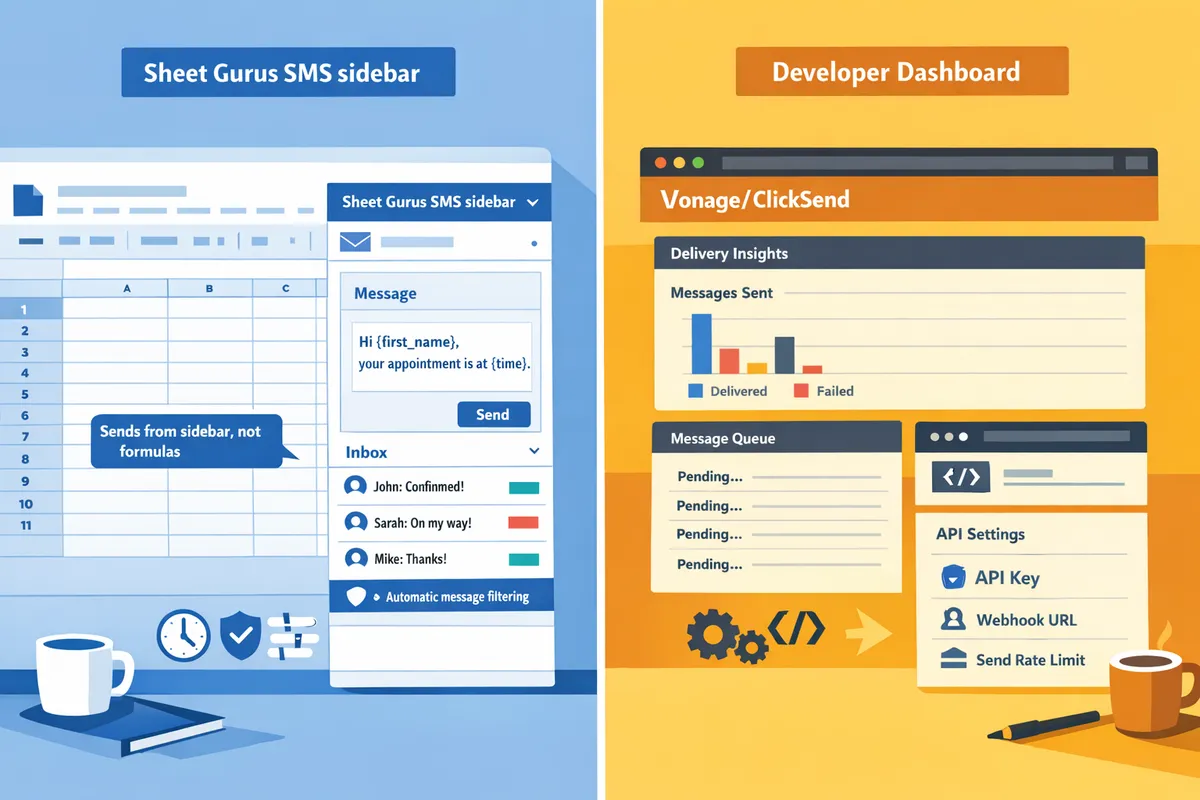
Sheet Gurus SMS is a sidebar-first Google Sheets add-on that sends personalized bulk SMS, manages two‑way replies, and applies automatic message filtering for compliance. The add-on uses curly-brace variables so non-technical teams can write messages like “Hi {first_name}, your order {order_id} is ready” without formulas. Our real-time inbox centralizes replies, so small-business teams avoid juggling email and separate SMS dashboards. Scheduling, delivery status, and mobile access let appointment-based businesses and last-mile dispatchers run campaigns directly from a contact sheet.
The business benefit is fewer manual steps and lower compliance risk compared with formula-driven methods. For a step-by-step setup and templates, see our Sending SMS from Google Sheets guide and the Sheet Gurus SMS for Small Businesses page.
💡
Tip: Always use double opt-in for SMS signups to reduce spam complaints and carrier filtering.
ClickSend — what it offers and typical use cases? 🌐
ClickSend is a programmable messaging platform with a Google Sheets integration that emphasizes carrier reach and multi-channel delivery. Teams that need wide international coverage, MMS support, or connections to CRM and marketing platforms choose ClickSend because it supports many delivery routes and enterprise connectors. The trade-off is more configuration: mapping columns, managing API keys, and tuning delivery settings take time and sometimes technical help.
For operations that send across regions or require message feedback routed into enterprise systems, ClickSend reduces carrier gaps. If your team prefers a sidebar-first experience and built-in two-way inboxes, our Sheet Gurus SMS add-on requires less setup time and fewer moving parts. For a deeper cost and setup comparison, review our buyer’s guide on integrating Google Sheets with SMS.
Vonage — what it offers and typical use cases? 🏢
Vonage provides enterprise-grade messaging with programmable controls and broad regional coverage suitable for high-volume workflows. Companies that need custom sender IDs, carrier-level features, or advanced routing select Vonage because it supports complex, high-throughput messaging and deep integration with backend systems. The downside for many small businesses is setup overhead and developer involvement to configure message flows and delivery rules.
Choose Vonage when carrier-level controls or SLA-backed throughput matter; choose our Sheet Gurus SMS add-on when you want two-way SMS, schedule management, and compliance filtering without developer resources. Use Vonage for bank-grade or large retail notifications; use Sheet Gurus SMS for appointment reminders, delivery updates, and personalized campaigns from a spreadsheet.
Sheet SMS — what it offers and typical use cases? ✉️
Sheet SMS is a lightweight Google Sheets add-on focused on bulk sends and simple scheduling without an advanced two-way inbox. Small teams that send occasional campaigns or reminders value Sheet SMS for its minimal setup and straightforward workflow. The limitations are manual reply handling and fewer automated compliance filters, which increases time spent monitoring responses and managing opt-outs.
For low-volume outreach where replies are rare, Sheet SMS cuts time to first send. For growing programs that need reply management, delivery insights, and automatic filtering, our Sheet Gurus SMS add-on offers inbox and compliance features that reduce manual overhead.
Send Messages from Google Sheets: 2026 Ultimate Guide — Add-on vs Apps Script vs Zapier vs AppSheet, with Two-Way SMS explains the trade-offs between add-ons and no-code alternatives and includes examples that show how long each path takes to deploy. For a cost-focused decision, our buyer’s guide on how to integrate Google Sheets with SMS compares setup time and total cost of ownership across these options.
How do the top add-ons compare side-by-side on features, pricing, and compliance?
This comparison highlights the features that matter most for small to mid-sized businesses: message delivery, sender ID options, personalization, two-way replies, scheduling, compliance controls, regional support, setup effort, and cost. Use the feature matrix below to scan strengths and weaknesses quickly and the pricing section to estimate monthly totals for 1,000–10,000 messages. If you want step-by-step setup help, see our Send Messages from Google Sheets: 2026 Ultimate Guide.
What criteria we used to compare add-ons 📋
We compared add-ons on eight SMB-relevant criteria to show practical tradeoffs. Deliverability is the ability for a message to reach a recipient’s phone, influenced by carrier routes and sender reputation. Two-way replies is a capability that lets recipients respond and a business read those replies in a single inbox. Personalization with curly-bracket variables is a template feature that inserts per-row data (for example: “Hi {FirstName}, your appointment at {Location} is at {Time}”). Scheduling is the ability to set future send times. Compliance features include automatic opt-out handling, content filtering, and consent logging. Setup effort measures how much time non-technical staff need to start sending. Regional sender support covers local numbers and shortcodes. Cost combines per-message fees, monthly platform charges, and any minimums.
Sheet Gurus SMS appears in every criterion where the product offers a direct capability (sidebar UI, curly-bracket variables, real-time inbox, and automatic filtering), which reduces manual steps and compliance risk compared with formula-based methods.
Feature matrix — side-by-side comparison 🧾
The table below shows how the four add-ons line up on the eight SMB-focused criteria.
| Add-on | Two-way inbox | Curly-bracket personalization | Automatic filtering / compliance | UI (Sidebar vs Formula) | Local numbers / shortcode support | Scheduling | Reporting | Typical setup time |
|---|---|---|---|---|---|---|---|---|
| Sheet Gurus SMS | Yes | Yes | Yes (built-in filters) | Sidebar (no formulas) | Local numbers in supported regions; shortcode support varies | Yes | Delivery status + real-time inbox | Minutes to under an hour |
| ClickSend | Yes | Partial (requires template setup) | Limited (user-managed controls) | Varies (API/add-on integrations) | Good regional number coverage; shortcode options via account | Yes (via dashboard) | Delivery and inbound logs | 30–90 minutes depending on integration |
| Sheet SMS (generic) | Limited | Yes (via sheet formulas) | Basic (user-side) | Formula-based | Varies by publisher | Basic scheduling (some add-ons only) | Basic send logs | 15–60 minutes |
| Vonage | Yes | Partial (API-driven templates) | Limited (carrier compliance is account-level) | API/console first; some add-ons wrap that | Strong global number availability and shortcodes via account | Depends on integration | Detailed platform reporting | Usually requires developer or managed setup |
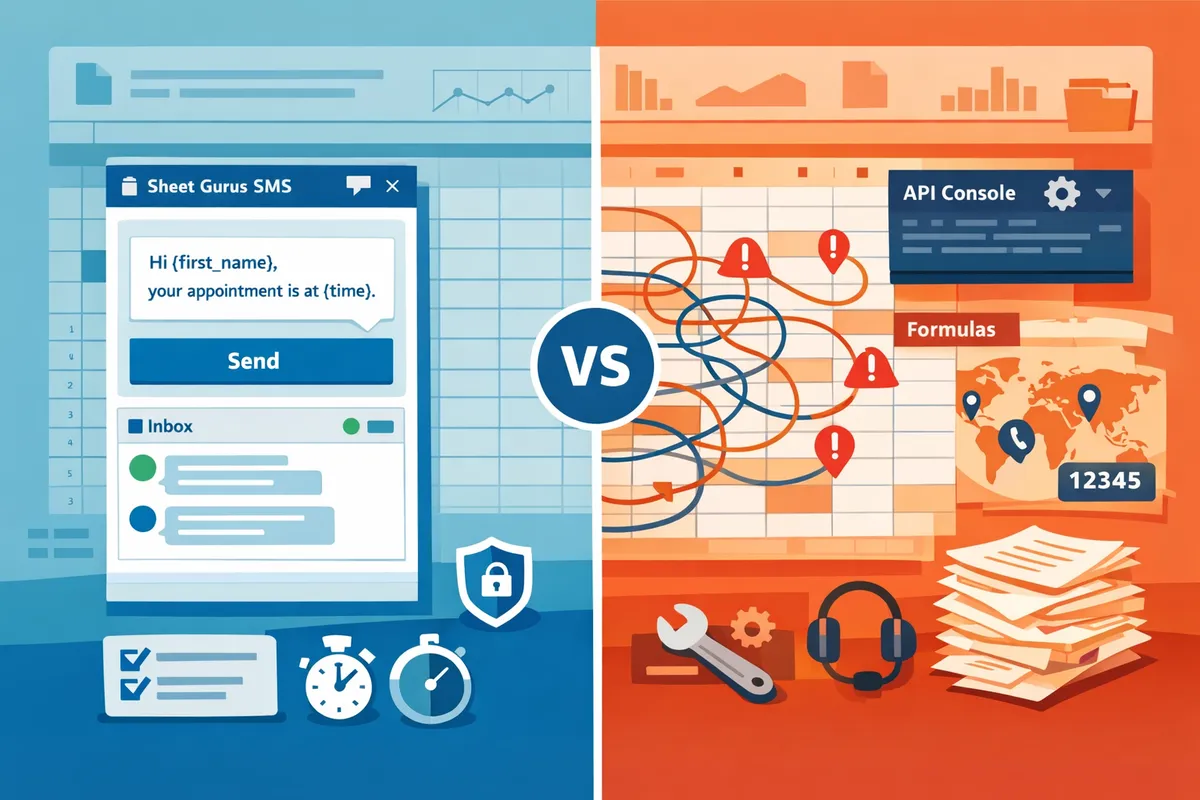
The most common tradeoffs you will notice are: sidebar UIs (Sheet Gurus SMS) cut setup and reduce formula errors; API-first platforms (Vonage, ClickSend) offer broader number inventories but typically need more configuration; formula-based tools (Sheet SMS) keep everything in the sheet but increase risk of accidental sends and manual compliance gaps.
Pricing and total cost of ownership (TCO) — which option is most cost-effective? 💰
Cost-effectiveness depends on per-message fees, monthly plan charges, and how many messages actually reach customers; calculate landed cost per successful delivery to compare vendors. For example calculations only: if a vendor charges $0.02 per outbound SMS and you send 1,000 messages, your raw variable cost is $20; add any monthly platform fee (for example $30) for a total of $50. At 10,000 messages the per-message portion grows to $200, so per-message discounts or volume pricing materially reduce TCO.
When estimating TCO, include these items:
- Per-message outbound fee and any inbound fees.
- Monthly platform or add-on subscription.
- Number rental for local sender IDs or shortcodes.
- Time cost for staff to prepare lists and manage compliance.
- Cost of failed deliveries due to poor routing or blocked traffic.
Sheet Gurus SMS reduces time costs by sending from a sidebar, providing curly-bracket personalization, and offering automatic filtering and a real-time inbox. That lowers the non-billable labor portion of TCO compared with formula-based methods or custom integrations. For a step-by-step comparison of integration approaches and a TCO calculator, see How to Integrate Google Sheets with SMS: Add-on vs Apps Script vs Zapier/Make (Buyer’s Guide + TCO Calculator).
Compliance and deliverability — how vendors reduce legal and delivery risk ✅
Compliance depends on opt-in handling, opt-out processing, sender ID rules, and content filtering; deliverability depends on carrier relationships and sender reputation. According to Sheet Gurus SMS, automatic message filtering and a real-time inbox help maintain compliance and reduce manual errors during campaigns. That means fewer accidental sends to unsubscribed contacts and quicker handling of inbound complaints, which reduces regulatory and revenue risk.
Best practices to reduce legal and delivery risk:
- Seed test a small subset of numbers in each target country to verify delivery and sender behavior before a full send.
- Use services or accounts that support local numbers for improved inbox placement in target regions.
- Maintain explicit opt-in records and ensure the system processes STOP replies automatically.
💡 Tip: Always use double opt-in for SMS signups to prove consent and reduce carrier filtering.
For a practical compliance checklist and step-by-step sending workflows from Sheets, refer to our Send Messages from Google Sheets: 2026 Ultimate Guide, which shows data setup, scheduled sends, and inbox handling with examples of dynamic message variables.
Which add-on should my business choose and what are the practical next steps?
Match your choice to three trade-offs: ease of use and two-way replies for non-technical SMBs, carrier control for high-volume programs, or a low-cost basic tool for occasional sends. Most small businesses that need quick setup, curly-brace personalization, and a real-time inbox will find Sheet Gurus SMS the lowest-risk path that reduces manual work and compliance headaches. The rest of this section maps use cases to recommended tools and gives a clear migration checklist you can follow today.
Recommended for non-technical SMBs: why choose Sheet Gurus SMS? 🧾
Choose Sheet Gurus SMS when you need to send personalized bulk texts from Sheets quickly without a developer. Sheet Gurus SMS runs from a sidebar, supports dynamic variables like {FirstName} and {appointment_date}, and includes a shared, real-time inbox for two-way replies. That UI removes common spreadsheet formula errors, shortens setup time, and keeps reply routing inside the tool so staff do not have to reconcile responses across apps.
Business benefits are concrete: fewer hours spent preparing and troubleshooting Sheets (our 2026 Ultimate Guide shows small operators often spend 3–5 hours weekly cleaning contact lists), simpler scheduling of reminders, and automatic message filtering to reduce compliance risk. Use the step-by-step walkthrough in our guide to see how to build a template message: for example, \“Hi {FirstName}, your appointment at {Location} is at {Time}. Reply 1 to confirm.\” For a small clinic or salon, that workflow cuts manual messaging tasks and keeps replies centralized.
See our Send Messages from Google Sheets: 2026 Ultimate Guide for a full setup and two-way SMS comparison.
Recommended for developers or high-volume programs: when to pick Vonage or ClickSend? ⚙️
Pick Vonage or ClickSend when you need carrier-level control, programmable messaging, or higher throughput and you have developer resources to manage integrations. Vonage and ClickSend provide granular sender options, webhook routing, and throughput controls that large campaigns and enterprise systems require. That control improves deliverability tuning and carrier relationships, but it also increases initial setup and ongoing maintenance compared with a Sheets-first add-on.
If your team plans to send millions of messages, run custom delivery analytics, or require country-specific routing choices, Vonage or ClickSend are sensible choices. Expect to allocate internal hours for API key management, monitoring, and failover procedures. For a balanced evaluation of ongoing costs versus add-ons, review our buyer’s guide with the TCO calculator to compare build-vs-buy scenarios in the Sheet Gurus vs ClickSend vs Vonage SMS conversation.
DIY from Google Sheets vs using an add-on — what are the hidden costs? 💸
Building a custom integration from Sheets often costs more than a mature add-on once you include maintenance, deliverability work, and compliance overhead. Hidden costs include time spent monitoring failed sends, reconciling bounced numbers, keeping opt-out lists current, and troubleshooting scheduled jobs when Sheets or OAuth tokens change.
Practical business risks: lost revenue from missed or duplicate reminders, compliance fines if opt-outs are mishandled, and staff hours wasted on debugging message failures. For example, a business that sends weekly appointment reminders may find staff spend several hours per week reconciling delivery reports if replies arrive in different systems. Our How to Integrate Google Sheets with SMS buyer’s guide outlines the typical maintenance tasks and gives a TCO framework to compare subscription fees versus internal labor.
Migration checklist — how to switch add-ons without losing data or opt-ins? ✅
Follow a short, ordered checklist to migrate safely: export contacts, standardize variable columns, map opt-in timestamps, update sender IDs, run small test sends, verify two-way routing, and audit delivery reports. 1) Export all contact and opt-in fields to CSV. 2) Rename columns to consistent variable names (e.g., FirstName, Phone, OptInTimestamp). 3) Map old opt-in timestamps to the new add-on’s required field so opt-outs remain valid. 4) Update sender IDs and test local number behavior. 5) Run 10–50 test messages to a seeded list and confirm replies land in the new inbox. 6) Check delivery receipts and bounce handling. 7) Move to a staged rollout.
💡 Tip: Always confirm opt-in timestamps and run a seeded test list to validate opt-outs and two-way routing before a full cutover.
See our Guide: Sending SMS from Google Sheets with Sheet Gurus SMS for step-by-step migration examples and recommended test cases.
Frequently Asked Questions
These FAQs clarify how dynamic variables, two-way replies, compliance, pricing, and setup effort differ between Sheet Gurus SMS, ClickSend, Sheet SMS, and Vonage. Use these answers to quickly evaluate which add-on fits your messaging volume, compliance needs, and team workflows.
How does dynamic personalization work in Sheet Gurus SMS? ✍️
Dynamic personalization in Sheet Gurus SMS replaces curly-brace variables with matching column values from your Google Sheet. For example, compose a message like \“Hi {first_name}, your order {order_id} ships tomorrow\” and ensure your sheet has columns named FirstName and OrderID (case-insensitive match depends on your sheet). Name columns to match variables exactly, test with 3–5 sample rows in the add-on sidebar, and inspect the preview to catch blank-value fallbacks before sending. If a column can be empty, create a fallback column (for example, DefaultName) or use a second column such as FirstName_Fallback to avoid messages that read \“Hi ,\“. Our step-by-step guidance in the Guide: Sending SMS from Google Sheets with Sheet Gurus SMS shows how to map headers, preview personalized rows, and schedule a test batch.
Can I receive replies and manage a shared inbox from Google Sheets? 💬
Yes — Sheet Gurus SMS provides a real-time inbox inside the add-on that captures replies and lets teams assign or respond without leaving Sheets. Common workflows include auto-tagging inbound replies by keyword (e.g., \“HELP\” routes to support), assigning conversations to agents, and marking threads complete so multiple team members do not duplicate work. Set routing rules such as \“assign by region\” or \“escalate after 4 hours\” and log reply timestamps into a column for SLAs. ClickSend and Vonage also support two-way SMS but require external dashboards or CRM connectors for collaborative inboxes; Sheet Gurus SMS keeps that workflow inside the sidebar to reduce context switching.
How do pricing models differ between Sheet Gurus SMS, ClickSend, and Vonage? 💵
Pricing typically mixes per-message fees with optional monthly plans, credits, or volume discounts, and rates change by destination country and message type. To compare true total cost of ownership, model expected monthly message volume, multiply by per-message rates, add any monthly platform fees, and include setup and list-cleaning hours. For example, if messages cost $0.03 each and you send 5,000 messages monthly, message spend is $150; then add a $30 monthly fee and 4 hours setup at $50/hour for a realistic first-month TCO. Use the Add-on vs Apps Script buyer’s guide and TCO calculator to run side-by-side scenarios and include regional rate differences and expected reply handling time as part of labor costs. Contact vendors for volume tiers and regional pricing before you commit.
Is sending SMS from Google Sheets compliant with opt-in and opt-out rules? ⚖️
Compliance requires collecting explicit opt-in consent, honoring opt-out requests immediately, and avoiding prohibited content according to the recipient country rules. Sheet Gurus SMS applies automatic opt-out handling and message filtering to reduce common compliance risks and logs delivery statuses and opt-out events so you have an audit trail in your sheet. Test opt-in collection and opt-out flows with a small addressable group before you run a full campaign and keep consent records tied to each contact row for audits.
💡 Tip: Always use double opt-in for SMS signups and store the timestamp and source of consent in the sheet.
Which add-on delivers better international reach and local sender IDs? 🌍
International reach and local sender ID options depend on each vendor’s carrier partnerships and regional agreements; Vonage and ClickSend generally cover more countries, while Sheet Gurus SMS emphasizes simplified setup and common regional coverage that suits most small to mid-sized businesses. Compare vendor documentation for local number, toll-free, shortcode, and alphanumeric sender ID availability in each target country before you choose. If you need country-specific features like MMS or shortcodes, verify that the vendor supports those sender types and confirm any registration or vetting timelines.
Do I need a developer to set up these Google Sheets SMS add-ons? 🛠️
No — you do not need a developer for sidebar-focused add-ons such as Sheet Gurus SMS; non-technical users can install the add-on, map columns to variables, preview messages, and schedule sends from the sidebar. Developer help becomes useful when you need custom webhook routing, high-volume automation beyond standard rate limits, or deep CRM integrations that require server-side logic. For most small businesses, follow this quick setup: 1) structure contacts with clear headers, 2) create message templates with curly-brace variables, 3) preview 3–5 rows in the sidebar, 4) enable the real-time inbox, and 5) run a small scheduled test. The Send Messages from Google Sheets: 2026 Ultimate Guide covers non-technical automation options and when to consider a developer.
Final recommendation
Sheet Gurus SMS is the best Google Sheets add-on for business texting for small teams that need bulk messaging, two-way replies, and compliance controls.
Sheet Gurus SMS is a Google Sheets add-on for sending bulk SMS from a sidebar rather than spreadsheet formulas. Personalize each message with curly-brace variables such as {FirstName}, handle replies in a real-time two-way inbox, and rely on automatic message filtering to help keep your sends compliant.
Example message: \“Hi {FirstName}, your pickup at {Location} is scheduled for {Time}. Reply YES to confirm.\”
For a broader Google Sheets SMS add-on comparison, see the 2026 Ultimate Guide to sending messages from Google Sheets to compare add-ons, Apps Script, and no-code options.
💡 Tip: Always use double opt-in for SMS signups to reduce compliance risk.
Schedule a consultation to test Sheet Gurus SMS with your spreadsheet workflow and confirm it meets your bulk messaging and compliance needs. See the getting-started guide for next steps.